

Overview
The Search Playground lets you test semantic search across your organization’s content library. Experiment with queries, understand how semantic ranking works, and preview search results before implementing the Search API.Availability & Prerequisites
Requirements:- Active Pro or Enterprise subscription
- Data Engine access
- Content uploaded to your content library
You must upload content before using the Search Playground. See Manage Content to add content to your library.
Getting Started
Access and use the Search Playground:- Log in to Gloo AI Studio
- Click Playground in the main navigation
- Select the Search tab
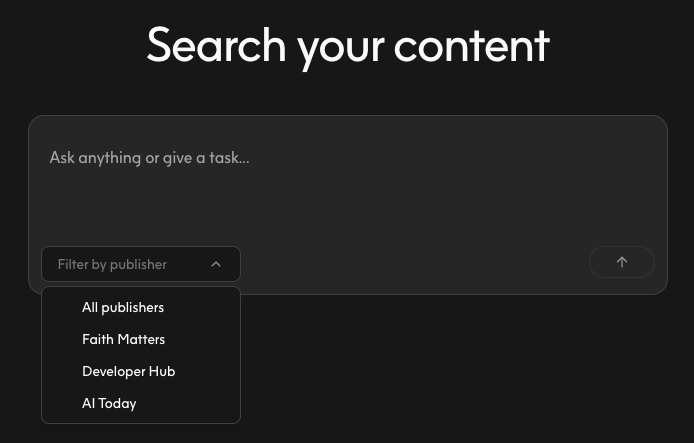
- Choose a content library from the Publisher dropdown
- Enter a search query in the text input
- Press Enter or click Search to see results
Only Publishers where you have access will appear in the dropdown. If no Publishers are visible, verify that content has been uploaded to your organization.
Understanding Search Results
Search results display as cards, each containing: Title: The content item’s headline or name Part Number: Sequential identifier for multi-part content (e.g., chapters, episodes) Source: The publisher or origin of the content Snippet: A preview of relevant text from the content Results are ranked by semantic relevance, not keyword matching. The most contextually relevant content appears first, even if it doesn’t contain your exact search terms.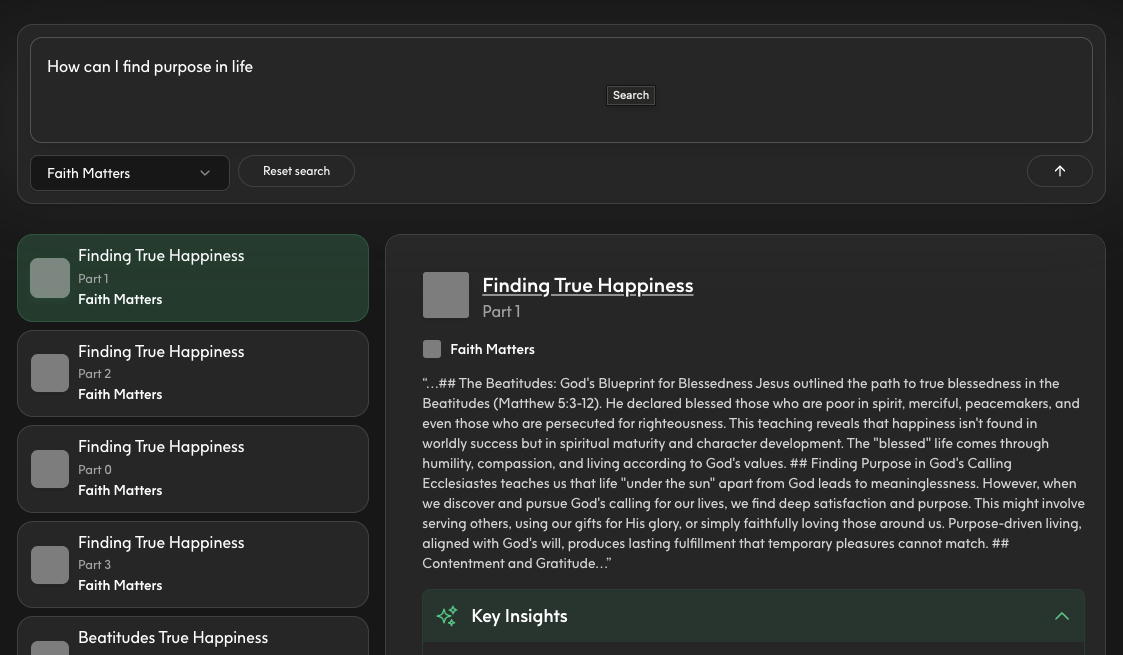
Exploring Key Insights
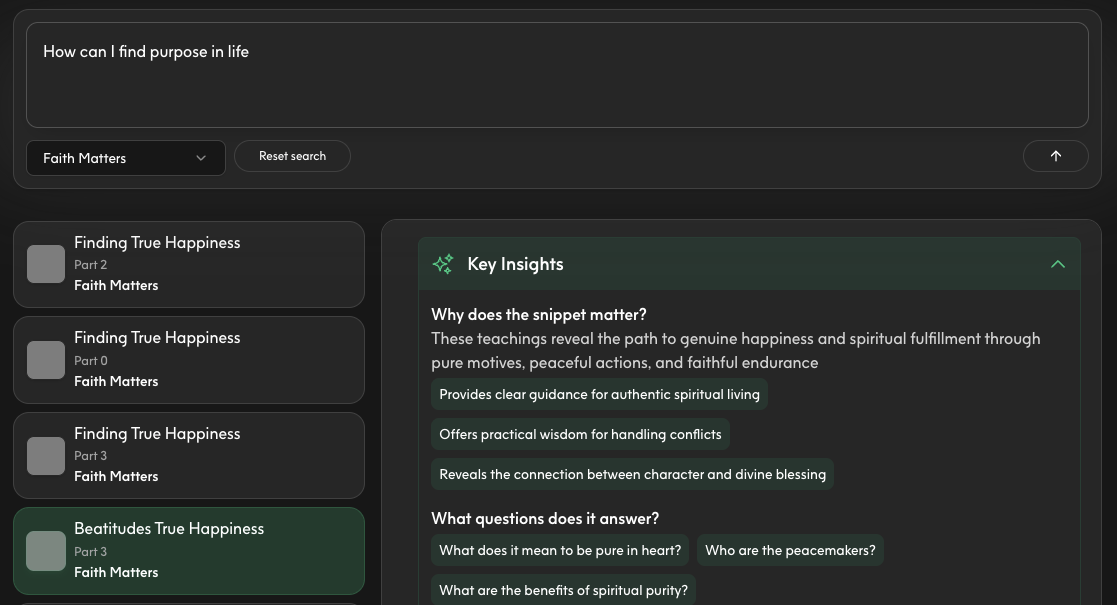
Some search results include expandable Key Insights sections:- Look for the Key Insights section below search results
- Click to expand and view AI-generated summaries
- Review insights to understand common themes across results
Key Insights are automatically generated when available. Not all searches will include insights depending on result quality and content type.
Refining Your Search
Get better results with these best practices: Use Natural Language Write queries as questions or phrases, not just keywords:- Good: “How can I improve my prayer life?”
- Also Good: “tips for consistent prayer”
- Less Effective: “prayer”
- “marriage advice for newlyweds” instead of “marriage”
- “understanding the book of Romans” instead of “Romans”
- “coping with loss” vs. “grief support” vs. “dealing with death”
Transitioning to API
Once you’ve tested search queries in the Playground, implement them via the Search API: Parameter Mapping:
Your Playground experiments translate directly to API requests. Use successful queries to guide your production search implementation.
Search API Guide
Implement semantic search in your application
Manage Content
Upload and organize content in Studio
Generate API Keys
Generate credentials for API access
Data Engine
Learn about content ingestion and management
Understanding Semantic Search
Semantic search differs from traditional keyword search by understanding meaning and context: Keyword Search:- Matches exact words in your query
- Ranks by word frequency
- Misses synonyms and related concepts
- Understands intent and meaning
- Ranks by contextual relevance
- Finds related concepts even without exact matches
Frequently Asked Questions
Why can’t I access the Search Playground? Search Playground requires a Pro or Enterprise plan with Data Engine access. Pay-as-you-go plans do not include search capabilities. Upgrade your plan to access this feature. Why don’t I see any Publishers in the dropdown? Publishers only appear after content has been uploaded. Upload content via Manage Content or the Content API first, then return to the Search Playground. How many results does the Playground return? The Playground returns up to 10 results by default. The Search API lets you customize the result limit using thelimit parameter (up to 100 results per request).
Why are my results irrelevant?
Try these troubleshooting steps:
- Make your query more specific with additional context
- Verify your content library contains relevant material
- Test different query phrasings
- Ensure content has been fully processed after upload