

/production/approvals) is where held work waits for a person. When a Trust Fabric gate holds a tool call, a workflow step, or a dispatch, Forge records an approval and sends it to a list of approvers. Everyone on the list is notified and sees it under Waiting on me. The first approve or reject decides it; there is no quorum.
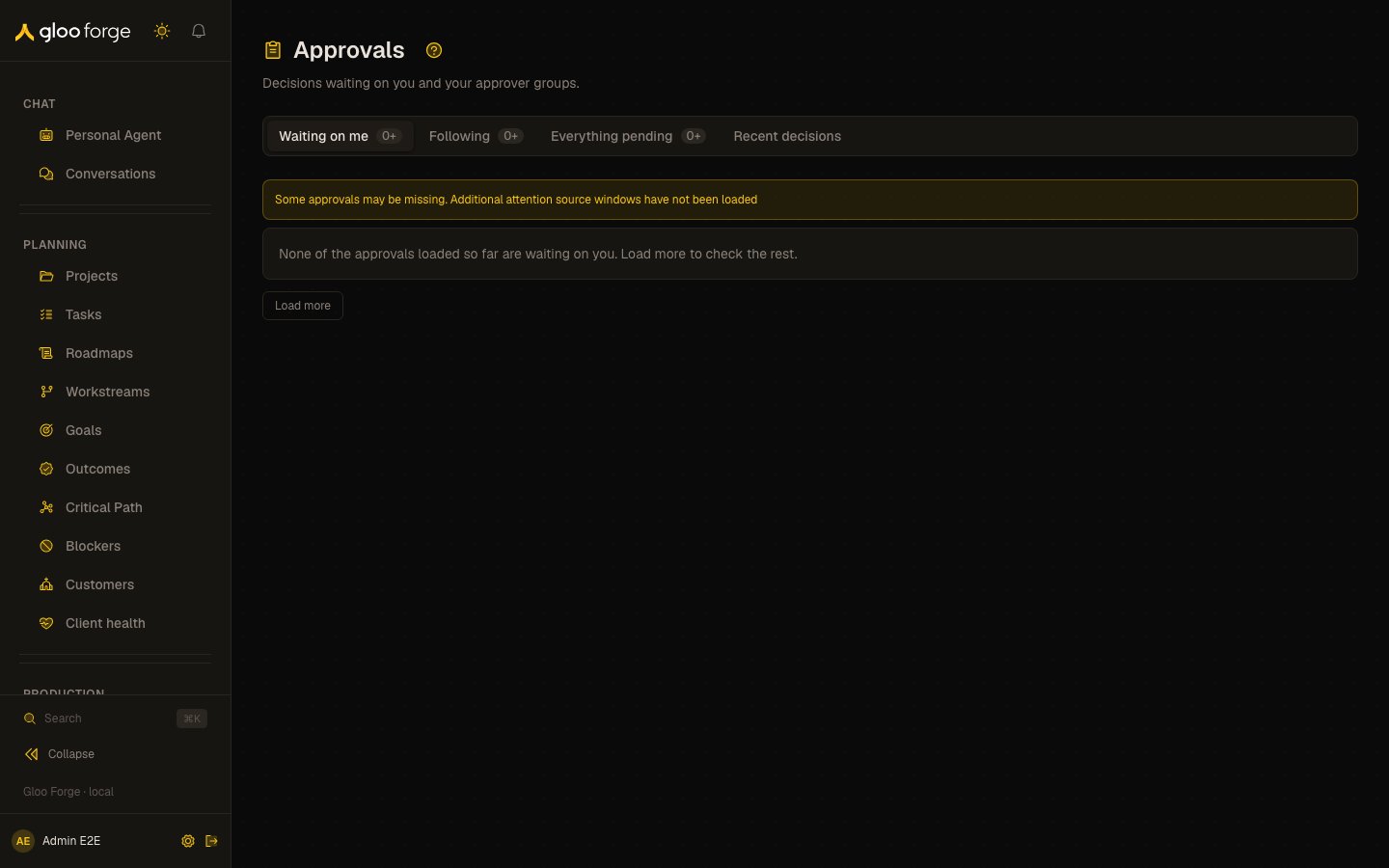
Approvals — Forge Console at /production/approvals
What you can do
- Find held work in the view that fits, and open one approval beside the list. See Views.
- Read what an approval would release before deciding. See What you see on an approval.
- Approve or reject it, with a reason for a rejection. See Deciding.
- Finish or mark done an agent setup request. See Agent setup requests.
Views
A question an agent asks you is not listed here. It opens in My Work (
/my-work), and Slack’s Home tab lists it under Waiting for you.
Each view shows how many rows are loaded; 3+ means another page may hold more. If you aren’t assigned to an org unit, the personal views still work and Everything pending stays hidden until an admin adds you to one.
A notification links straight to one approval (/production/approvals?item=approval:<id>). The item opens beside the list in any view.
Approver sets
Every approval carries its approver list. Forge builds it when the hold is created:
“Everyone who can release the hold” is taken from the hold’s release policy when the list is built and is capped at 50 people. Whether you may approve is always checked again when you decide. People added to a list are notified in the bell and by email; use your notification preferences to mute them.
What you see on an approval
- What is being approved — the build, draft, run or agent the call belongs to, with a link; who asked; and, for a build with several held calls, which one this is (“Call 1 of 2”). The detail says what approving allows, for example “Approving allows the next call to runSandboxValidation in this build.”
- Why? — shown for a held call on a workflow run. It opens Decisions filtered to that run’s held decisions, within a minute either side of the hold. A human step in a workflow has no Trust Fabric decision, so it has no Why? link.
- What it does — chips for Writes, Sends out, Uses credential and Sensitive data, the tool, its risk level, the hosts it reaches and the permissions it needs.
- What the call contains — the shape of the held call’s arguments, captured when the call was held: each field and the kind of value it holds (text and its length, a number, a link and the site it points to). Values are hidden unless the tool marks them safe to show, such as the procedure a build step names; long arguments are shortened, and the preview says how many values are hidden.
- The instruction — for a factory worker hold, the instruction the Factory Manager wrote for the worker, shown as plain text (links are not clickable). Its last line is the instruction’s SHA-256 digest, which the preview also shows; a long instruction is cut and its last line says how much is shown. An approval covers that exact instruction to that worker on that task: if the Manager rewords it, you are asked again.
- Approvers — who is on the list (“You + 3 others”).
- Overdue — shown when the approval has passed its deadline.
Deciding
- Approve appears only when you can approve. Otherwise the detail says why in plain words, for example:
- you don’t hold
approvals:approveat the approval’s org unit, any org unit above it, or the platform (for an approval that isn’t a held action); - you don’t hold every permission the held action uses;
- your role doesn’t cover the org unit the action runs in;
- you asked for this work or own the agent, so someone else has to approve it;
- the hold has no release policy, so it can only be rejected.
- you don’t hold
- Reject always needs a reason. The reason is recorded and shown to the requester. If rejecting has a consequence, the detail warns you and the button names it, for example Reject and fail build.
- Anyone on the list may reject a held tool call, even without
approvals:approve; approving still needs the release permission. - A held action can be approved or rejected here, and from a workflow run’s page, by anyone who could release it:
approvals:approveand every permission the action uses, held for the org unit it runs in, one above it, or the platform. Platform holders ofapprovals:approvecan still reject any hold. - If someone else decided first, the detail says so and shows their decision. Other failures show their own message.
Agent setup requests
An Agent setup item is a request to finish setting up an agent: someone who can see the agent asked people who can fix it, using Request setup on its Ready to run checklist. It is not approved or rejected. It lists what is missing, who asked and their note, and links to Open the Ready to run checklist, where you make the fixes your permissions allow. The item leaves Waiting on me by itself once the agent is ready to run. A person who holds the permission the request names can also Mark done, for example when the gap was handled another way. An unanswered request expires after 30 days.After a decision
The approval stays open on screen and shows who decided, when, the reason, and what happened next:
A chat approval authorizes only the held agent’s original prompt. Retry starts from the visible human message and reuses its stored per-agent thread and prompt binding; it never posts the human message again. A newer prompt, a different agent, or a changed assignment cannot reuse the decision.
An item without its recorded HumanInteraction link stays visible as Preparing review, but can’t be decided until that link exists.
If Forge can’t record your decision, the error says why in a sentence: for example, that someone already decided the approval, or that your role can’t release it. It never shows a raw server code.
Key state to watch
- Overdue — the approval has passed its deadline.
3+— another page may hold more rows than are loaded.- No Approve button — the detail says why you can’t approve this one.
- Decided by someone else — the first decision wins; the detail shows it.
- An agent setup request — it leaves Waiting on me once the agent is ready to run, and expires after 30 days unanswered.
Related
- Architecture → Approval Lifecycle
- Trust Fabric → Approval policies