

/observe/alerts) lists the observability alert rules in your org unit. A rule counts matching events in a time window and pages a bell notification or a Slack channel when the count trips, or, as a deadman rule, when no events match at all. A rule created from a saved view on Events matches that view’s filter; one created here matches all events. These rules are separate from the metric-threshold rules in Analytics alerts. Reading the list needs workflows:read.
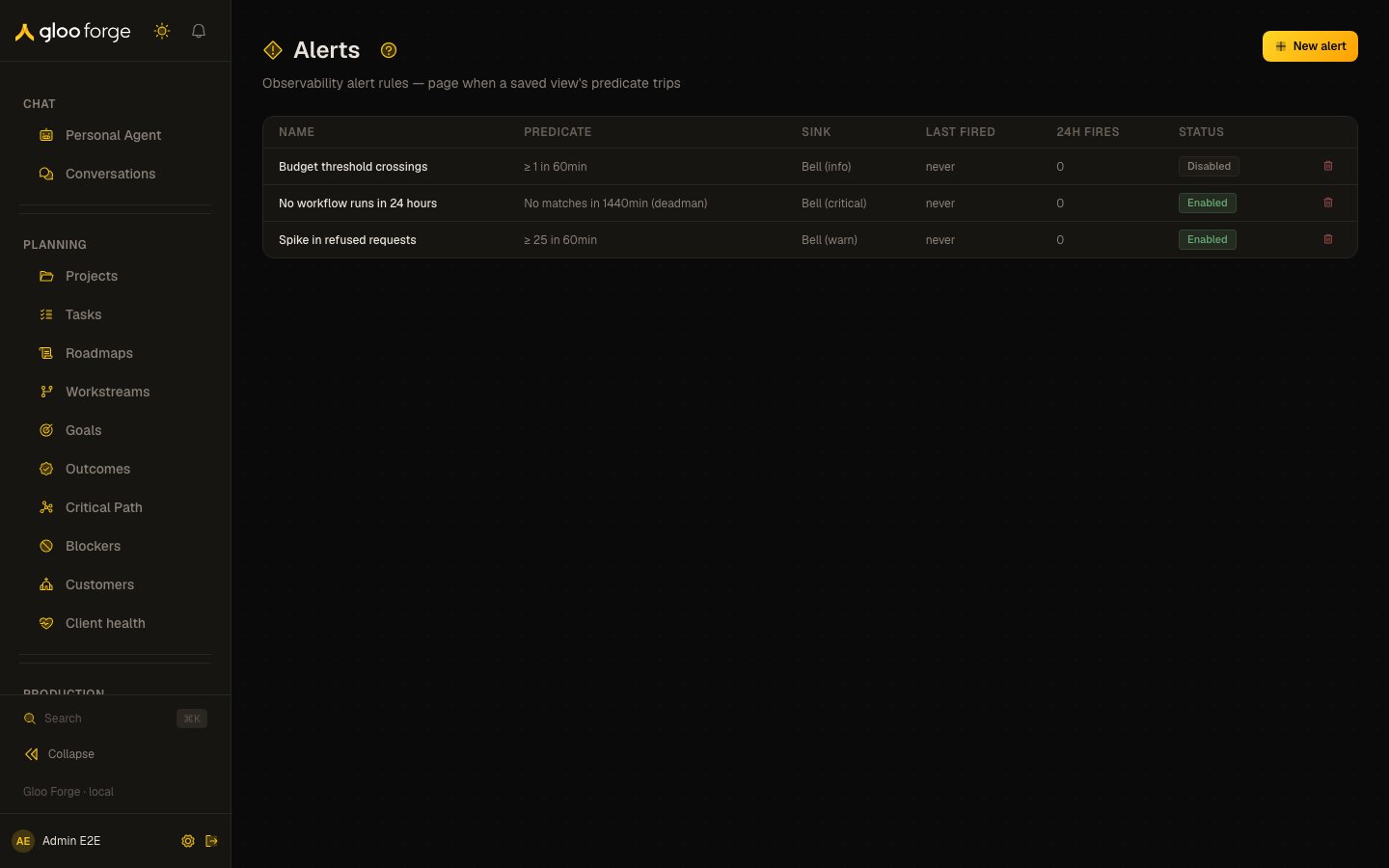
Alert rules — Forge Console at /observe/alerts
What you can do
- Read every rule in your org unit: your own and your team’s.
- Create a rule with New alert, or from a saved view’s Alert button in the Views menu on Events.
- Enable or disable your own rules, and delete them.
The rules table
Your own rules also have a delete button (Delete this rule), which asks you to confirm. Team rules are read-only. With no rules, the page shows No alert rules yet and a New alert button.
Creating a rule
New alert opens Create alert. The dialog says whether the rule is bound to a saved view or defaults to all events.
Choose Create alert to save the rule.
Key state to watch
- 24h fires — a rule that fires all day pages people for nothing; raise its threshold or its suppression.
- Last fired: never — not proof that a rule is healthy. A rule that is not being evaluated never fires, whichever mode it uses. Only for an evaluated Exactly (deadman) rule with a count of 0 does “never” mean that matching events keep arriving.
- Disabled rules — they are not evaluated and page nobody.
- Enabled-rule limit — the workspace can have at most 50 enabled rules; creating or re-enabling a rule past that is refused, so disable rules you no longer need. Separately, each one-minute evaluation reads at most 500 enabled rules, oldest first, which the 50-rule limit keeps out of reach.
-
Dormant rules — an enabled rule stops being evaluated when:
- its owner no longer holds
audit:read,grants:readandpolicies:read; - its saved view is deleted;
- its saved view is neither the owner’s own nor shared into the rule’s org unit.
observability_alert_dormantevent when a rule goes dormant. - its owner no longer holds
- The saved view behind a rule — if the view’s filter stops matching recent events, an At least rule never trips. A deadman rule fires instead, and again each time its refire suppression runs out.
Related surfaces
- Saved views — the filters an alert rule can be bound to.
- Events — where a saved view’s Alert button creates a bound rule.
- Analytics alerts — metric-threshold rules.