

/platform/procedures) is the catalog browser for typed, sandbox-executed units of model-free work. A Procedure is a versioned, deterministic script — agents invoke it as a single tool call; the platform handles the snapshot, the typed inputs, the timeout, and the output capture. Procedures are peers to Agents in the workflow execution model: authored as code with typed I/O contracts, executed inside a VM sandbox, capability access flows through a Convex-side proxy. Authors declare invariants (deterministic, idempotent) and the platform enforces them at dispatch time.
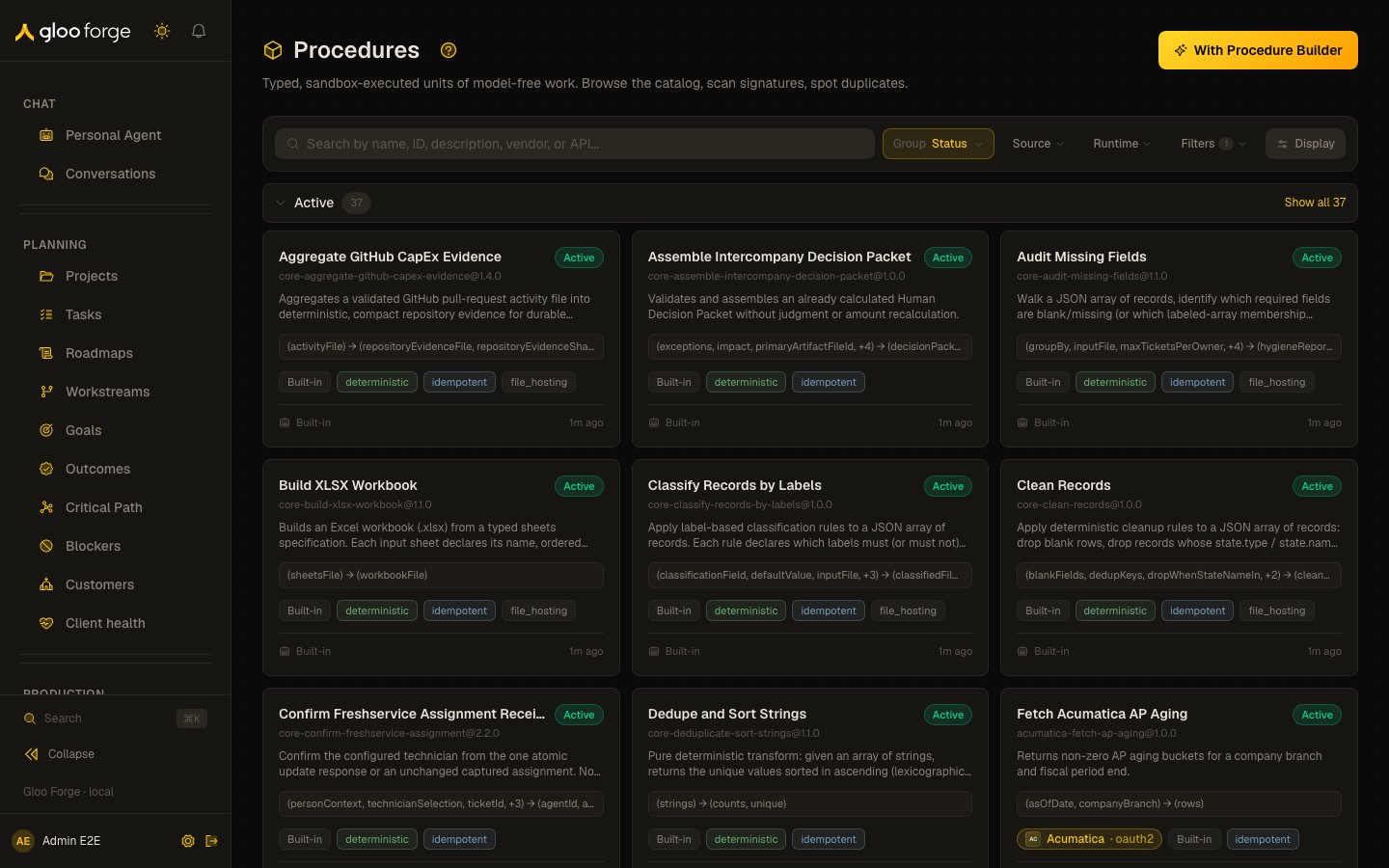
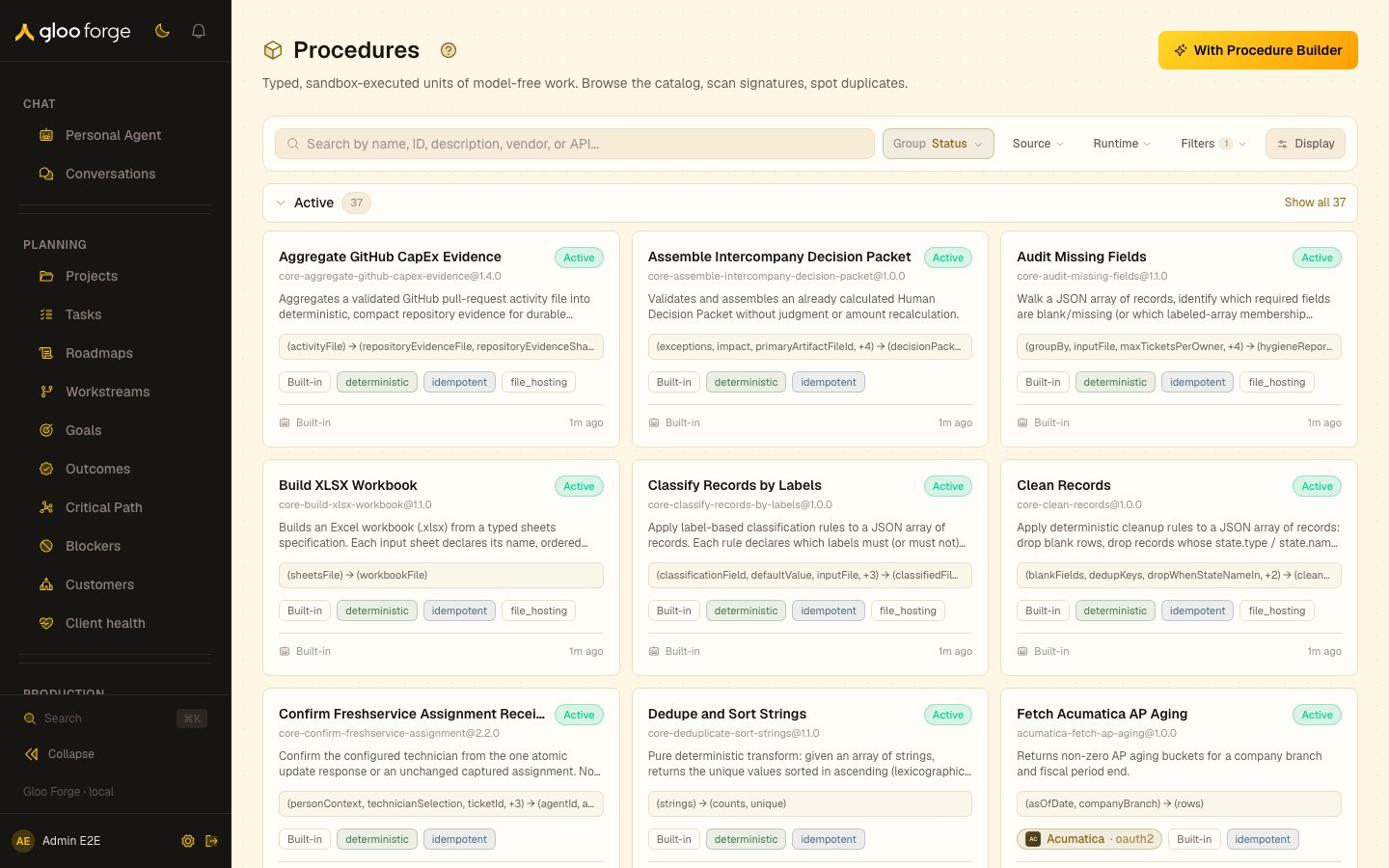
Procedures — Forge Console at /platform/procedures
What you can do
- Browse the procedure catalog as cards or a dense list — toggle in the top-right corner.
- Scan procedures grouped by status — Draft, Active, Deprecated (collapsed), Archived (collapsed).
- Spot semantic duplicates by reading the input → output signature inline on every card and row.
- Filter by source or runtime; free-text search runs across name, ID, and description.
- Start a new Procedure conversationally with the With Procedure Builder header button.
- Click into a Procedure to see its manifest, image audit, run history, possible duplicates, and current usage.
- Refine a workspace Procedure in place with the Refine with Procedure Builder button on the detail page.
- Clone a built-in or marketplace Procedure to an editable workspace copy with Clone to workspace.
- Rename the current approved head without rebuilding its sandbox image or rerunning validation.
- Promote a draft Procedure to
activeafter running it in shadow mode. - Audit recent procedure invocations — every call is captured with its inputs, outputs, and sandbox transcript.
Creating and refining with the Procedure Builder
Procedures, Skills, and Agents are all authored the same way — through a builder agent in a right-side conversational drawer. The two entry points are consistent across all three primitive types.Create from scratch
The catalog header carries a With Procedure Builder button. Clicking it starts a fresh builder conversation and opens the authoring drawer: describe the procedure you want, and the Procedure Builder drafts theforge.yaml manifest and Python entry point, compiles and runs it in a sandbox, and iterates with you until it passes. The drawer’s status slot streams the live state — compile output, per-test-case pass/fail, and the judge-procedure-correctness verdict — so you see exactly where the draft stands. The matching With Skill Builder button lives on the Skills catalog, and agents are created the same way from the Agents page.
Refine an existing Procedure
Every Procedure detail page carries a Refine with Procedure Builder button, top-right. It is always present so the affordance is the same wherever you are — but enablement reflects the source:
This is the same rule on Skills and Agents — the affordance is visible everywhere, but only workspace-owned primitives are editable in place. To customize a builtin or marketplace primitive, clone it to your workspace first.
Clone a built-in to your workspace
A built-in or marketplace Procedure’s detail page carries a Clone to workspace button beside the disabled Refine button. It copies the latest active version — manifest, code, test cases, and vendor bindings — into a new workspace Procedure with ID<original>-copy (-copy-2, -copy-3, … when earlier copies exist), then opens the copy in the Procedure Builder drawer.
- The copy is a draft. It runs nowhere until it passes the normal Builder path — finalize, sandbox validation, the judge, and approval — exactly like a Procedure built from scratch.
- The original keeps serving unchanged. Workflows keep calling the original until you switch their nodes to the copy’s ID.
- The copy records where it came from (
source.clonedFrom: the original’s ID and version), and the clone is written to the audit log asprocedure_cloned_to_workspace. - You can rename the copy in the Builder before its first finalize.
- The copy does not inherit the original’s governance declaration. Until a declaration is attested, agents calling it face the strictest approval hold, because its code may differ from the reviewed original.
- Clone to workspace appears only for operators who can author Procedures (
procedures:write).
Versioned refine — the published version keeps serving
Refining a Procedure never rewrites the published version’s bytes and never forks a newprocedureId. Instead, refine drafts the next version of the same procedure:
- The currently published (latest-active) version keeps serving every pinned caller untouched while you work.
- The draft is a new
synthesizing-tier row on the sameprocedureId, invisible to callers and the catalog default until it publishes. There is one draft per Procedure at a time — re-opening resumes the in-flight draft. - On finalize, the platform computes the minimum legal version bump by diffing the draft’s declared inputs/outputs against the predecessor version. Any code change to a pinned procedure is at least a minor bump (so a pinned caller is never silently surprised); removed or renamed I/O forces a major bump. You still declare the version in
forge.yaml— finalize validates it against the floor and rejects a version below it or one that collides with an existing version. - Validate + judge run exactly as a from-scratch synthesis does. On pass, the new active version publishes and latest-active auto-advances; on fail, the draft is retained, the verdict is shown in the status slot, and the builder turn continues so the agent can fix it.
Controlling a running turn
The drawer’s status slot carries the controls for the turn itself. Live status. While a turn runs, the drawer names what the Builder is doing right now — “Running validation in the sandbox…”, “Finalizing the procedure…” — updating the moment each tool call starts, not when it finishes. Before the first tool call it shows “Working…” with an elapsed clock, so a turn that is thinking rather than calling tools still reads as alive. Interrupt. A running turn shows an Interrupt button. Pressing it asks the Builder to stop, and the button changes to “Stopping after the current step…” — which is literally what happens. Cancellation is cooperative: the loop exits at the next step boundary, so a tool already in flight (a multi-minute sandbox validation, say) finishes its current step first. This is deliberate, not a limitation to work around: cutting a tool off mid-flight is what permanently corrupts a conversation. When the turn stops you get a “You stopped this turn” notice. It offers no Retry, because you chose to stop it — send a new message when you’re ready. Any tool that was mid-flight is recorded as interrupted with its effects unknown, and the Builder sees that on the next turn, so it verifies before redoing the work rather than blindly repeating it. Retry. When a turn fails for a reason that can actually succeed on a second attempt, the failure notice carries a Retry button. It re-runs the turn against your existing message — you don’t retype anything. Failures that cannot succeed by retrying (a governance denial, a turn you interrupted) deliberately show no Retry button; the notice names the precondition to resolve instead. If Retry can’t run — a turn is already going, or the failure happened before your message reached the Builder — it tells you why rather than doing nothing. Stalled turns. If a turn dies without reporting back (a deploy, a hard kill), the platform detects it within about fifteen minutes, marks it stalled, and frees the conversation. The drawer shows “This turn stalled and was cleaned up — send a message to continue.” You do not need to close and reopen the drawer. Replies cut off mid-tool-call. Every model has a per-reply output limit. If the Builder writes a long explanation and only then reaches for a tool, the reply can hit that limit while the tool call is still being written — the call never runs. Left alone this is invisible and genuinely confusing: the Builder promises to do something, nothing happens, and on the next turn it correctly tells you it never ran that tool, because it never did. The drawer now says so — “That reply hit the model’s output limit mid-tool-call, so the tool never ran” — and retries once on its own, instructing the Builder to make the call first and explain afterwards. You’ll usually see the tool run immediately on that retry. Retries are capped at two in a row so a model that keeps truncating can’t loop; the allowance resets whenever you send a message. If you’d already typed something while the truncated reply was running, your message wins — the Builder picks that up instead of retrying. Once the allowance is spent the notice tells you the fix directly: ask for the tool call first, with no preamble.Sending a message while a turn is running never interrupts it. Your message is
queued — the drawer shows a “Message queued” chip — and runs as soon as the
current turn finishes. Use Interrupt when you want the current turn to
stop.
Blast radius
Because callers pinprocedureId@version, the drawer surfaces the exact set of workflows that pin the version you’re refining — for example “@1.2.0 is pinned by 6 workflows.” On a major bump, it flags that those callers will not move to the new version until they are migrated. Review this before publishing a breaking signature change; the Used by panel on the detail page is the static counterpart to the live blast-radius readout in the drawer.
Catalog
The catalog page groups every registered procedure under one of four status headers in this order:
The catalog uses the shared collection grammar (Search · Group · Sort · Filter · Layout), consistent with every other Forge collection:
- Group by — Status (the default, the four bands above; Deprecated and Archived stay collapsed by default), Source, or Runtime.
- Sort by (in the Display popover) — Name within every group by default; Updated and Created are one click away.
- Filter — by source or by runtime.
- Layout — card or list, toggled in the top-right.
The list view packs the same information into a single-line dense row — switch via the toggle for fast scanning of a large catalog.
When the platform hasn’t synced any builtin procedures yet, the page renders an empty state with a link to these docs.
Versions & maturity
A Procedure iterates over time — each refine or passing synthesis produces a new version on the sameprocedureId. To keep the catalog clean and the lifecycle predictable, the platform bounds how many versions of one Procedure can be active at once and collapses the catalog to a single card per Procedure.
At most one approved head plus one provisional canary. For any Procedure, the active set is capped at two rows: the approved version that serves callers, and an optional provisional version — a freshly synthesized candidate undergoing review. The two coexist on purpose: the proven approved version keeps serving while you evaluate the provisional canary.
Approving a provisional version retires the prior approved one automatically. When you Promote a provisional version (from the detail page or via bulk promote on the synthesis queue), it becomes the sole approved head and the previously approved version is moved to deprecated in the same step — you no longer have to demote the old version by hand. Demoting a Procedure now also moves it out of the active set, so it stops appearing as a working version.
The catalog shows only the latest-active head per Procedure. Even while an approved head and a provisional canary both exist, the Active group renders one card for the Procedure — the latest-active version — carrying a maturity badge:
Hover the badge for a tooltip explaining the maturity state.
Built-in procedures are exempt. Builtins ship with Forge and are re-created on every deploy, so they are never auto-deprecated by this rule — the bound and the auto-retirement apply only to workspace and synthesized Procedures.
Maturity is not the same as catalog status. Status (Draft / Active /
Deprecated / Archived) is the catalog bucket a version lives in; maturity
(Provisional / Approved) is its approval state. A provisional version is still
Active — it just hasn’t been approved yet.Procedure detail
The detail page (/platform/procedures/<procedureId>) renders the manifest alongside the operator-action bar, lifecycle panels, and context panels:
The detail page uses the shared A2 Detail archetype — a wide main column (contract, source, judge verdicts) beside a fixed meta rail (identity, usage, versions, lifecycle, connection binding, image audit, related). No panel grows unbounded: long-form cards are height-capped with internal scroll, lists show a top-N with a View all expansion, and multi-line text clamps with a per-item Show more.
Connection binding
A procedure that calls a vendor API is bound to specific connections on that vendor, not just to the vendor. A procedure can bind several connections, including two on one vendor. The bindings live on the version as an ordered list (apiIntegrations), so two versions of the same procedure can be bound differently, and a caller pinned to an older version keeps that version’s bindings until it re-pins. The card shows one row per binding with its own verdict. Its headline is green only when every binding resolves.
For each binding, connectionName decides the outcome. Dispatch builds that credential target from vendorKey/connectionName, so if the connection is unset no target is built, no credential is injected for it, and the run fails BINDING_INCOMPLETE. That is a binding defect, not a missing credential — and the card is explicit about which of the two you are looking at, because the failure modes have different owners:
When more than one of a vendor’s connections serves the same host, the platform deliberately refuses to guess and leaves the connection unset for a human to resolve. Sage Intacct is the standard example: both its
oauth2 (REST) and xml (Web Services gateway) connections answer on api.intacct.com, so auto-linking can never choose between them. The card shows each connection’s own description precisely so the choice is informed — for Sage, only xml can run the Custom Report Writer reports that aging and GL fetches depend on.
Binding requires procedures:manage; without it the card still reports the verdict but shows no picker. A bind is recorded in the audit trail with the previous connection, so a re-binding is always traceable.
The verdict is checked against the procedure scope chain (org, then system) — the same chain dispatch uses. Workflow nodes that bind a beneficiary resolve credentials on their own chain instead, and the card says so rather than implying a verdict it cannot reach.
Opening a historical version (?version= — set by clicking a version in the rail’s Versions panel) pins every panel and the Source card to that version and shows a “Viewing v… — not the head version” banner with a Back to head link. On a wide viewport the Refine with Procedure Builder drawer docks in-flow beside the page (the manifest and verdicts stay visible while you converse); narrower viewports keep the overlay drawer.
Operator actions
The action bar at the top of the detail page is the operator’s primary surface for managing a procedure’s lifecycle. Every button is gated by both the permission its action needs AND the procedure’s current state — buttons that would always fail are disabled with a tooltip explaining why. Promote, Promote to builtin, Request review and Re-judge needprocedures:approve; Rename, Deprecate and Delete (and the bulk delete on the catalog) need procedures:manage; Approve (override) and Send back to builder release a hold and need approvals:approve. None of the three stands in for another.
When a held draft failed only because its refine version under-bumped the semver floor, the Builder no longer needs an operator at all:
finalizeDraft returns the exact required version and the Builder re-declares and re-finalizes automatically. Holds that reach operator review are the non-deterministic cases (e.g. sandbox validation or judge failures).
A held Builder draft is a group human task. It asks everyone who holds approvals:approve at the platform scope now and is an active person with an email, and it is listed in their My Work. The detail page shows its task state with Claim, Release and Take over (with a reason); Approve and Send back decide the draft through that task, so a draft someone else claimed is refused.
Bulk variants of Promote, Demote, and Delete live on Platform Synthesis at /platform/synthesis for multi-select review sessions; request-less held Builder drafts are listed there too, on the Awaiting review tab.
Promote to builtin
Promote to builtin is a guarded handoff from a workspace Procedure to the builtin catalog that ships with Forge. It is available only to an operator withprocedures:approve on the current approved, active workspace head. The server rechecks the exact selected head, mutable-sibling, target-collision, source, and content-hash gates before reserving the promotion; an alias alone never authorizes a takeover.
Enter the target operation ID and an audit reason. Forge first records the reservation, then exports canonical source files to a deterministic repository branch. The status panel reports reserved, exporting, preparing, pr_open, failed, or synced. In preparing, an operator runs the exact-head explicit preparation dispatch; it builds and verifies the immutable image, converges generated artifacts, and only then opens or reconciles the draft pull request. A failed source export can be retried. Opening or merging the PR does not make the procedure builtin. Only a later repository sync that re-reads and verifies both persisted sources as builtin marks the promotion synced.
The rename preserves the family and its historical key: existing references to the old procedure:<id>@version continue resolving to the same family and version. Forge does not bulk-rewrite workflow, invocation, or audit history during this promotion.
Publish gate
Workflow graphs that pin a provisional procedure are blocked at publish time by thePROCEDURE_PROVISIONAL_BLOCKS_PUBLISH validation rule. The publish dialog renders every blocking node with the procedure id and version; the resolution path is to promote each referenced procedure (either from its detail page or via bulk promote on the synthesis queue), then re-publish. Warnings — including the existing PROCEDURE_VERSION_DEPRECATED upgrade nudge — never block publish.
The image audit is the most security-relevant surface — before approving a Procedure for use in a production workflow, review the base image, package overlay, and egress allowlist here. Procedures with an empty egressAllowlist array are fully sealed sandboxes (no network).
Possible duplicates is the dedup discovery surface. Two procedures with the same sorted (input keys) → (output keys) hash are surfaced here — the panel renders nothing when no signature match exists, so it stays out of the way for genuinely unique procedures.
Used by lists workflow graph nodes that pin this procedureId. Operators should review this list before deprecating a procedure or shipping a breaking signature change.
Key state to watch
- Active version pin — each Procedure has an active version every dispatch resolves to. Cutting a new version creates a draft; promotion is operator-gated.
- Invariant drift — if a Procedure declared
deterministicoridempotentand the platform’s runtime observation contradicts the declaration, the catalog flags it. - Egress allowlist — non-empty allowlists are a privileged surface; review on promotion.
- Invocation rate — how often each Procedure is being called; useful for prioritization and for spotting sudden traffic shifts.
Workflow editor integration
The graph editor’s node palette includes aProcedure node type alongside Produce, Route, Join, and Publish. Dropping a Procedure node opens a typed binding panel that picks a Procedure from the catalog and renders its input contract as a slot grid. Drag-bind wiring lands alongside the executor in Q3; today the panel renders the contract read-only so workflow authors can preview what a Procedure node will require.
Related surfaces
- Concepts → Procedures — what Procedures are and where they fit in the workflow execution model.
- Procedures — how procedures are registered, versioned and run.
- Observe → LLM Routing — per-dispatch tier audit. Procedures themselves don’t consume LLM tiers, but workflows that mix Procedures and Agents benefit from the routing telemetry.
- Analytics → Cost — per-Procedure compute-seconds attribution; pairs with token cost in the Ledger.