

/trust-fabric/decisions) shows every recorded governance decision and explains it.
Each governed request records one decision: it passed, was blocked, or was held for a person to
approve. Use this page to answer “why was this blocked?”, “what did this run do?” and “which facts were recorded?”.
The page needs the audit:read permission. It replaces the Traceability Trail, Gates,
Investigation and Compliance Metrics pages; their old URLs redirect here.
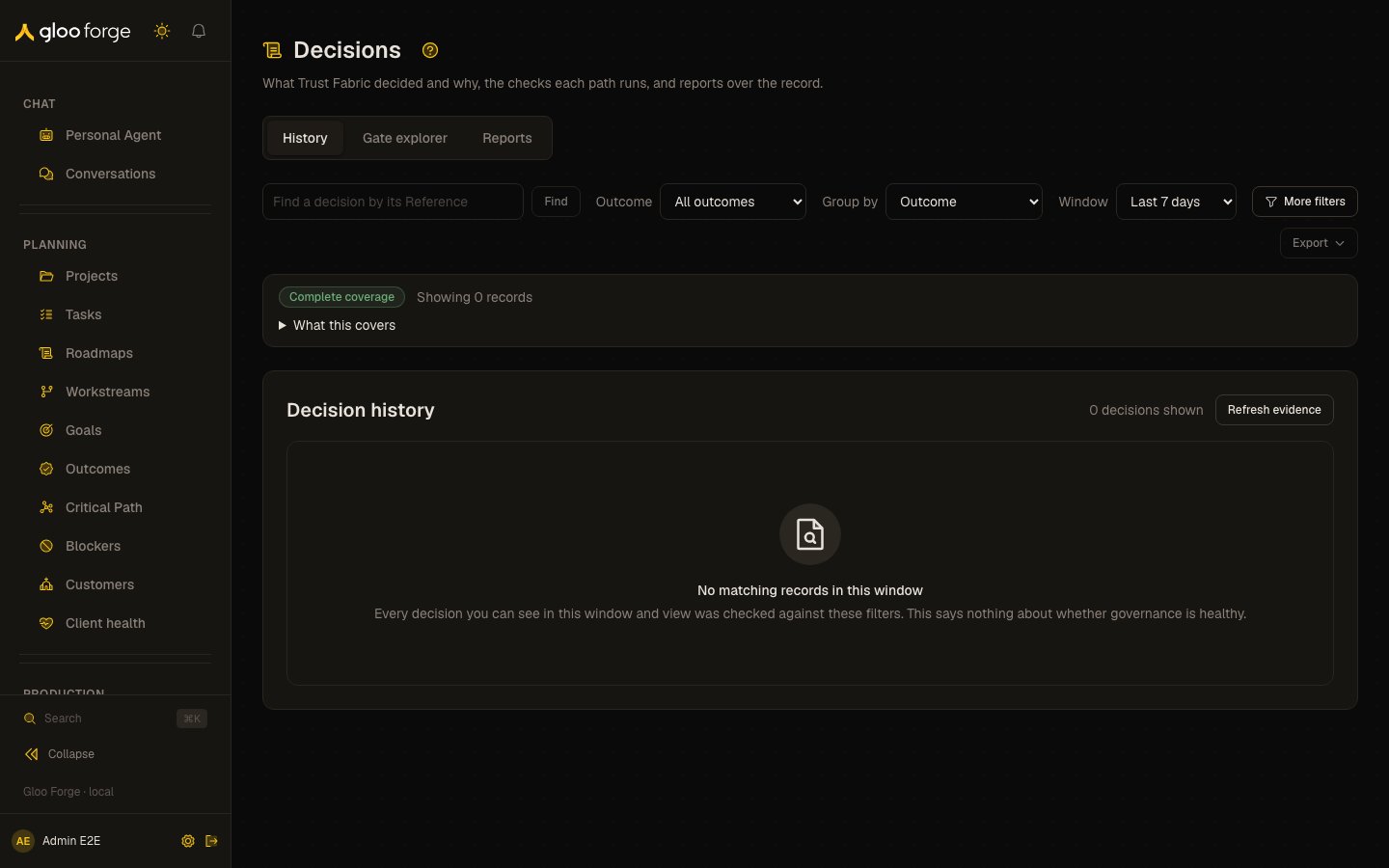
Decisions — Forge Console at /trust-fabric/decisions
What you can do
- Find a decision: filter recorded decisions by window, outcome and more, grouped by outcome.
- Explain one decision: see the checks it passed or failed and the facts it recorded.
- Walk a gate: see every check on a path in order, with its recorded failure totals.
- Ask a report question: which checks block the most work, who is blocked, which policies fire, and where permissions are missing.
- Export the loaded decisions as JSON, Markdown or CSV.
Tabs
- History
- Gate explorer
- Reports
The recorded decisions, grouped by outcome. This is the default tab (
?tab=decisions).Find a decision
1
Start from the run, or from the page
On a run, hold, failure or held approval, choose Why?. It opens this page filtered to that
run, with a time window around it. When governance refuses a Builder or Architect turn, the
refusal in the conversation (an authoring drawer, or a Position Architect chat) also has a
Why?: it opens that one decision in your own evidence view. Or open Decisions from the
Trust Fabric sidebar.
2
Narrow the list
Use the toolbar (Find by Reference, Outcome, Group by, Window), More filters, an
outcome count, or a check in the gate explorer. Each filter is kept in the address, so you can
share the link.
3
Open the decision
Choose the row’s Explain refusal, Explain hold or Inspect decision. The detail opens
in a drawer beside the list, on its explanation; closing it returns you to the row.
Grouping and outcome counts
History groups the loaded decisions by outcome (Blocked, Held, Allowed) by default. Group by also offers the deciding check, or none (newest first), kept in the address asgroup=. An
outcome that isn’t one of the three stays explicit as its own group. Groups and the outcome counts
above the list describe only the rows shown, never the population; choose a count to filter to that
outcome.
Each row names the operation and actor, the recorded reason, and the check that decided it. A
check that runs on only one path also shows the path and its declared order (“Decided by Tool
catalog and eligibility · tool call · check 3”); a decision records no path, so a check shared by
several paths names none.
Filters
The toolbar holds the common filters; More filters holds the rest. A filter set from More filters or by a link shows as a named chip under the toolbar, with a button to remove it.
Changing a filter or the window restarts paging, so a page of results always matches the filters
shown.
Read coverage before drawing a conclusion
The list shows its coverage:- Complete — the whole window was searched for these filters.
- Partial — a limit stopped the search. Choose Load more evidence to continue.
- Unavailable — a source could not be read.
Export
Export saves the loaded decisions as JSON, Markdown or CSV, with the window, filters and coverage. An export is an extract of loaded evidence, not a certified complete population.Gate explorer
Every governed request runs through the Trust Fabric gates in a fixed order, and each gate’s outcome is recorded on the decision. Each recorded check has its own gate identity, so its outcome can be inspected on its own. Historical decisions keep their recorded names. The runtime skip-accounting sequence isglobalKillSwitch → doorSwitch → agentStatus → factoryStatus → chatResponse → identity → permission → concurrency → rateLimit → budgetAgent → budgetEnvelopes → budgetHierarchy → autonomyHoldTable → nhiEntitlement → policyRules → approvalRequired — the declared convex_native path from the engine entry gate on. Every member of it is evaluated, not_applicable, or blocked_by_previous_gate in each decision record. Runner prechecks run before the engine.
Open the explorer with /trust-fabric/decisions?tab=gates&path=<path>. The old /trust-fabric/gates
and /trust-fabric/gates/history URLs redirect here; /trust-fabric/gates/config redirects to
Emergency stops, which holds the doors, the
global kill switch and the publish judge.
Choose any of the registry’s 14 paths. The explorer lists every check on that path in its declared order, with its order number and when it applies (Always, or Conditional with the condition in plain words, such as “Before the engine runs”). Neighbouring checks are grouped into the same stages the Overview uses; grouping never reorders them. As on the Overview, the governance check is not a stage: it refuses and is recorded only when the evaluation can’t finish, so it is a note above the stages with its own total and Show decisions. The delegation path says that it runs the convex_native checks. The path is kept in the address as path=, so Back and a copied link restore it.
Each check’s Show decisions opens History filtered to that check with every recorded outcome, passes included, keeping the evidence view and window. A check with recorded failures also shows a red bar beside its count and Show failures in this view, which opens History at that check’s recorded failures only. History keeps its own evidence view and window, and this total covers all paths and everything you can read, so the failures History lists can number more or fewer than the total.
Reading the gate counts
- The column Recorded failures · all paths, 7 days comes from one read with no path dimension. A failure is a check result that did not pass; it may have blocked the decision or held it for approval, so the count is not a count of blocks. It covers every path and everything you can read, whatever organization the page shows, so a check on several paths shows the same total on each.
- The counts are gate outcomes (the
gateResultsarray on each decision record), not dispositions, so there is noholdcount. - None recorded means no recorded result in the window. It is not a pass, and it is never shown as
0. A check with recorded passes and no failures shows0 failed. - Skipped outcomes are not counted. A gate outcome marked
skippedwas never evaluated on that decision — either the sequence short-circuited before reaching it, or the gate is in the sequence but not yet wired to a runner. - Unresolved historical labels. An aggregate row carries no cause code, so a recorded name that more than one check has used (for example
scopeorpolicy), or one today’s registry doesn’t list, can’t be placed on one check. Its count is listed separately and never split across checks. - The
Sampledbadge means the counts come from at most the 2,000 most recent decisions in the window, not all of them. - When the totals can’t be read, the path reference still shows and the column says Not available.
doorSwitch check and cause governance_door_stopped.
Reports
The Reports tab asks five questions; each says when to ask it. The report ids are unchanged.
Choose the window with Window: last 7 days (the default), last 30 days, or Custom, which shows
the start, the end and how many decisions to check. The answer draws a bar per row with its change
against the window just before (▲ or ▼, or “No change”); Show as table gives the same rows as a
table. Each answer shows how many records were checked (up to 2,000 records and 30 days per report;
client-reported records are excluded), coverage, any records that couldn’t be attributed, and a
next step. The four aggregate reports also compare each row with the window just before, read by a
second call of the same report; when that window was partial or unavailable, the change says so
instead of a number, and a current window that was only partly read says so too. Choose a row’s
Recent decisions (or pick it under Show recent decisions for) to see the three most recent decisions it counted, read through the Decisions
list and matched by the report’s own counting rule, with a link to related decisions in History
(that filter can be broader than the count, for example including allowed decisions for a policy).
An unavailable or failed report says so and is never shown as an empty result. A report is
unavailable for a window when any decision in it couldn’t be matched to an audience Forge can check
against your access (or that check couldn’t be read), so it shows no count for the window rather
than one that might count records you can’t see. The question list stays, and Read individual decisions in
History opens the decisions you can read one by one. Switching report,
window or person clears the earlier rows and export at once. On the access report, a current grant
shown beside a row is context, not proof that the grant allowed the past call.
Current access and recorded facts
Current permission investigation now lives in Access, at/trust-fabric/access/check, independently gated by grants:read. Old access-tab links preserve
the question and redirect there; explicit Decisions or Reports links retain their evidence intent.
A decision detail leads with its explanation: the outcome and deciding check, then Checks
recorded for this decision as one track in the record’s own order. Neighbouring checks of one
stage that passed share a step; a failed or skipped check stands alone, and each result with its
reason code is under Recorded checks and reason codes. A check after the last recorded one has no
recorded result — that isn’t proof it would have passed, or that it was never reached. A name more
than one check has used stays an unresolved historical label. What to do next names each
missing permission, the roles that include it, and who could grant one of those roles (someone who
can manage grants and holds every permission in it, computed from the role catalog), with links to
the Access check, the policy or the agent when you can open them. The record behind this
decision says what evidence is; it carries no execution receipt, and permission to proceed is not
proof of execution.
The record is one grid of recorded facts (who, what was attempted, when, the run, role, policy,
blocking check and missing permissions). Names shown are current labels for
recorded identifiers. Recorded role is a snapshot, not complete historical grants. Client reports
remain qualified, and recorded causes describe the captured refusal rather than an unproven root
cause. Current-access links do not reinterpret history.
Key state to watch
- Partial or Unavailable coverage. An empty partial list does not prove that no decision matched.
- Recorded facts unknown. Facts the record did not store are named once; the Console never fills them from today’s grants or policies.
- Exports. An export is an extract of loaded evidence, not a certified complete population.