

/my-work) is your personal queue for work Forge is waiting on
you to handle. Other Production surfaces such as Approvals, Runs, and Delegated Work show
broader operational queues; My Work shows only items assigned to your
account — resolved from the workflow’s assignee targeting (direct, role, position, org
unit) at the moment the item was created.
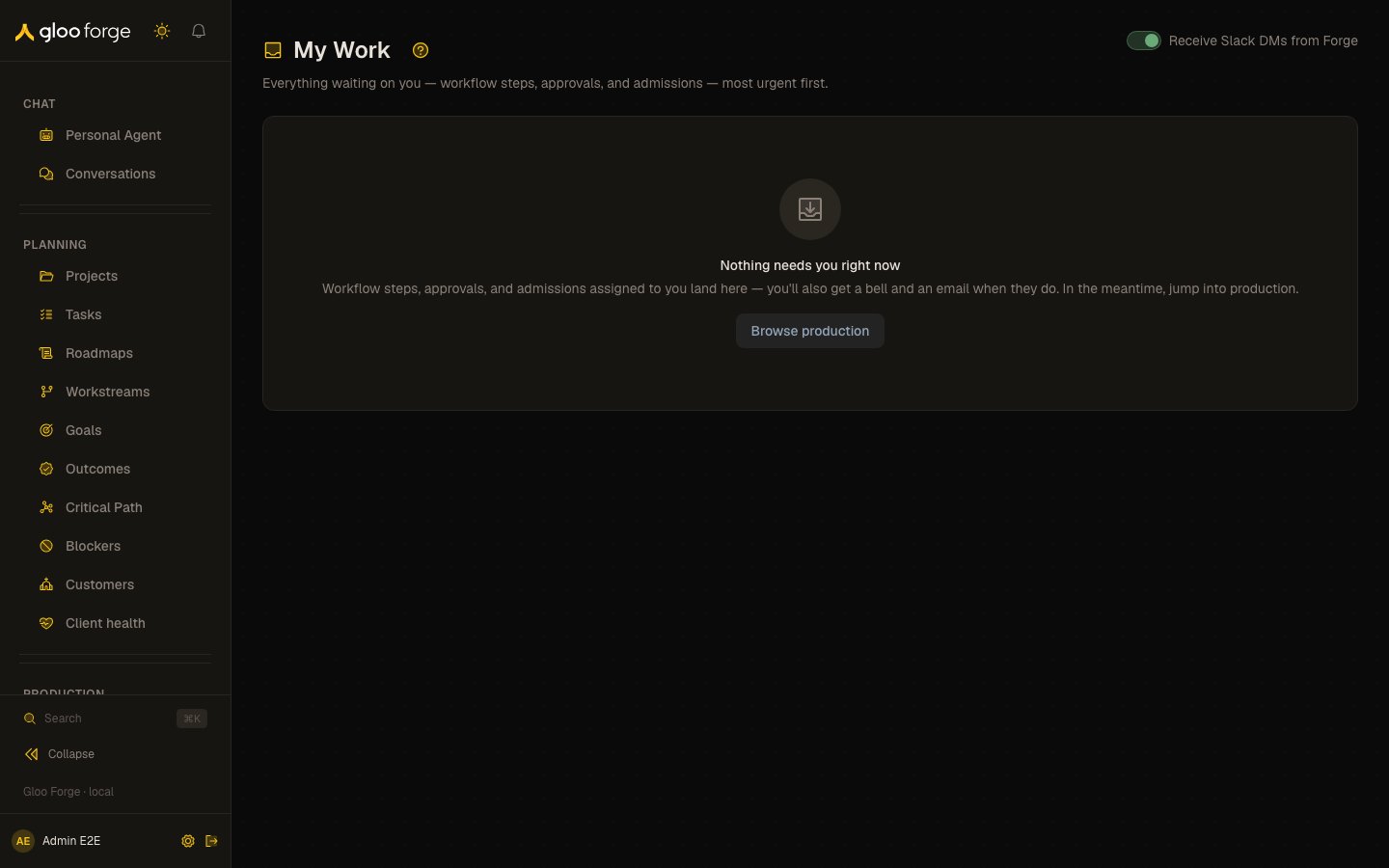
My Work — Forge Console at /my-work
What you can do
- Work through the items assigned to you, most urgent first. See What lands here.
- Claim or release an item from a review queue, then decide it on its queue page. See Review queues.
- Approve or reject a Foreman’s plan or request. See Foreman approvals.
- See why an item is assigned to you and why it is held.
What lands here
A factory worker approval also shows the instruction the Factory Manager wrote, as plain
text ending with its digest, above the Approve and Reject buttons.
Items are sorted most urgent first: SLA-breached items at the top, then by SLA
deadline, then oldest-first for items without an SLA window.
Review queues
The four review queues are group human tasks. An item asks everyone who holds the queue’s permission at the platform scope now and is an active person with an email:synthesis:approve for the
Synthesis at /platform/synthesis (requests awaiting review and provisional
requests), judge admissions and curator recommendations;
approvals:approve for held procedure drafts. Someone
granted the permission later sees the open items at once.
A review-queue row shows who has claimed it. Claim and Release work here; the item is decided, and
taken over, on its queue page. At most 50 items of one queue are listed here; when the queue holds
more, the last row links to the rest of the queue.
Foreman approvals
An SDLC factory’s Foreman agent cannot approve its own plans or requests. When it moves a plan or a request to awaiting approval, everyone who holdsfactories:manage at the platform scope now is
asked here. Open shows the plan or request and its Approve and Reject actions; Reject needs a
reason. Only your decision moves the plan or request on: an approval is voided when the plan or request
leaves review, is sent back, or is edited in GitHub or Linear, and the Foreman must ask again. Undecided
for six days, the plan or request is sent back as not approved. A Personal key with the approvals:write:decide
and factories:manage scopes decides it the same way.
Why me / why held
Every row shows its assignment provenance (“assigned via role”, “assigned to you directly”) and its governance context. Approving an item never creates standing access: an approval releases that one held action, and no on-behalf-of grant is created as a side effect. A published workflow version carries its own grants from publish; ad hoc work uses your own Credential permission for the company involved.How you find out
When a workflow step or approval is assigned to you, Forge sends you a personal bell notification (pointing here), and an email. The bell only shows org-wide operational notices plus items addressed to you — never other people’s assignments. A Review task sends nothing when it opens. Instead a daily digest, at 13:00 UTC, sends you one bell notification and one email per queue for the items that have waited 7 days or more, following your notification preferences (/settings/notifications). Items past their 14-day due date are also
reported to administrators (holders of approvals:approve at the platform scope). Review tasks
are not listed on Slack’s Home tab, in /forge approvals or in Waiting on me; if your digest
frequency is off, you see them only here.
Resolving items
Approve/Reject on this page resolves an item as one of its assignees. A workflow step assigned to you needs noapprovals:approve. Approving a Trust Fabric hold needs you to be allowed to
release it (its release rule); approving any other approval needs approvals:approve at its org
unit, any org unit above it, or the platform. Rejecting needs neither, only a reason. Resolution is identical to resolving from the
org-scoped queues — same audit trail, same Slack message updates.
Claim, release and decline
When an item asks more than one person, Claim takes it: it is yours alone until you Release it or decide it, and nobody else can decide it meanwhile. A claim you leave untouched is released at the item’s follow-up date. An item that asks only you has no Claim button. Decline says “not me”, with a reason (required). The item leaves your queue. If nobody else is left, it escalates to its next approvers, or, when there is nobody to escalate to, it is canceled with the reasondeclined.
A Review task is different: declining it stops its waiting notices to you, but it stays open,
stays in your My Work and still asks everyone who holds the queue’s permission.
Due dates
Every item has a due date. The people it asks get one reminder, then it escalates (an approval to its policy’s releasers). If nobody decides by the final due date, the item is canceled — never approved. A canceled approval shows as Canceled with its reason. A Review task is never canceled for lateness. It follows up at 7 days and is due at 14 days, then stays open until someone decides it; the daily digest keeps reporting it.Reassigning work
Workflow steps and approvals carry a Reassign action (on this page and on Production → Approvals). Pick a person, give a reason (required — it lands in the governance audit trail), and Forge re-resolves the assignment: the item moves to the new person’s My Work, they are notified, and the item leaves your queue. Who can reassign: anyone holding theapprovals:approve permission where the item
lives (org operators rebalancing a queue). Being the current assignee is not enough;
to hand off your own item, Decline it. Only a person who can act on the item can
receive it, and a target that resolves to nobody (for example a vacant position) is
rejected — an item can never be reassigned into the void.
Review tasks are not reassigned. Take over on the item’s queue page, with a reason, moves another person’s
claim to you; it needs approvals:approve at the platform scope, and the item must ask you.
Not me on a Review task, with a reason, stops Forge reminding you about it. The item
stays in your My Work and its queue, and you can still decide it.
My Work ships behind the
nav.my-work feature flag (Platform → Settings → feature
flags). If the sidebar entry is missing, the flag is off for this deployment.Key state to watch
- SLA-breached items — they sort to the top.
- A Foreman approval left undecided for six days — the plan or request is sent back as not approved.
- A voided approval — the plan or request left review, was sent back or was edited, so the Foreman must ask again.
- The 50-item cap — at most 50 items of one review queue are listed; the last row links to the rest.
Related surfaces
- Approvals: approval requests across the platform.
- Notifications: how new work reaches you.
- Judge admissions: synthesized primitives waiting for a decision.