

/settings/personal-keys) lists the keys you own. The page subtitle states the rule that matters most: Your own keys. Each acts with your permissions, narrowed to the scopes you pick.
A Personal key is a general credential for the Forge Platform API (/api/v3/* and /api/v2/*). It is not tied to MCP: a script, a CLI or an MCP host can each present one. It ends with you — when it is revoked, or when you are offboarded. For software that must keep working after the people who set it up leave, use an External App instead. See Choose a credential.
This page used to live at Platform → Forge MCP → API Keys (
/platform/forge-mcp/api-keys). That URL now redirects here. To connect your own AI host with a sign-in or a key, use Settings → Connect an agent (/settings/connect-agent). Administrators turn the Forge MCP server and its tool groups on or off at Platform → Developers → Forge MCP (/platform/forge-mcp).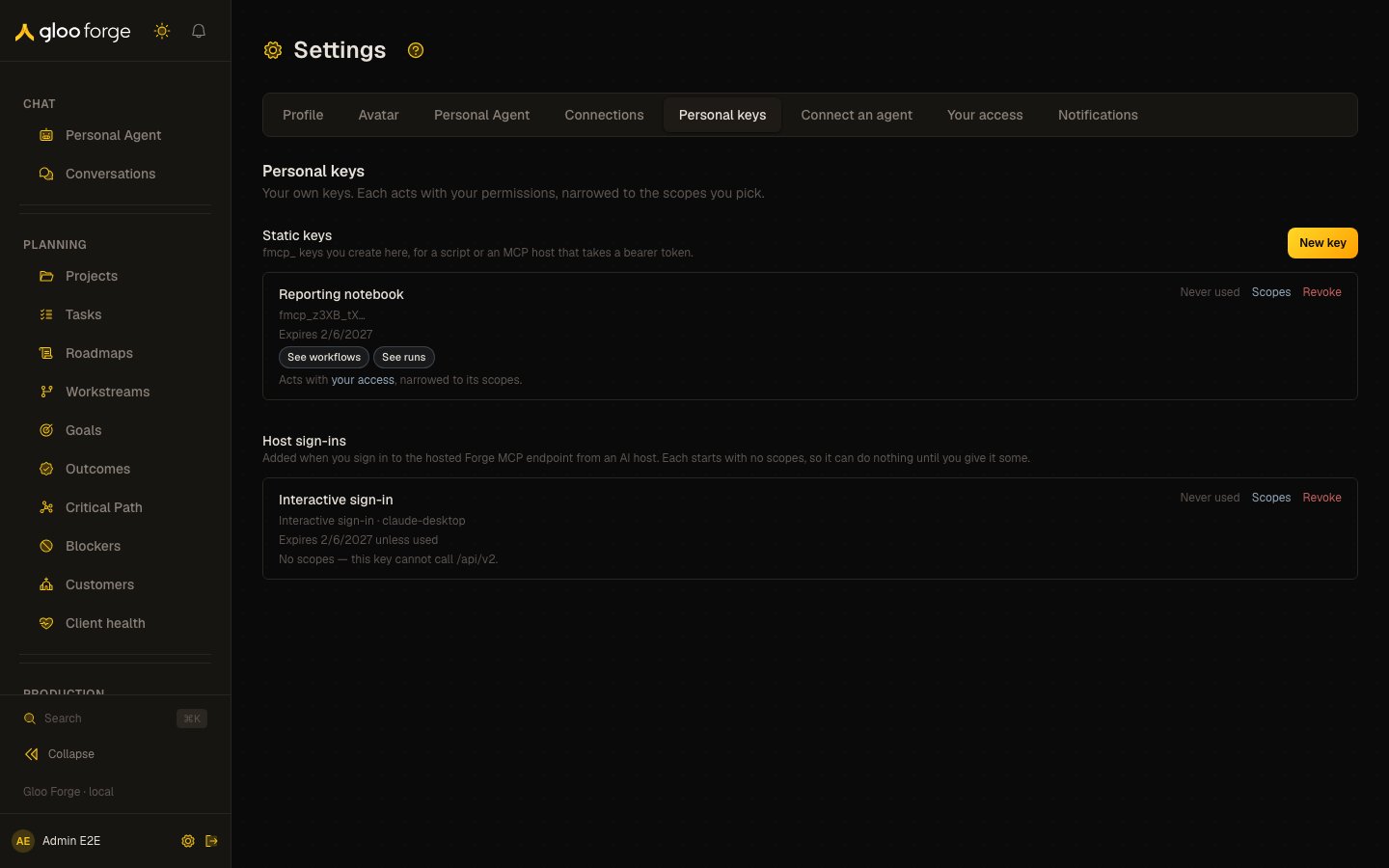
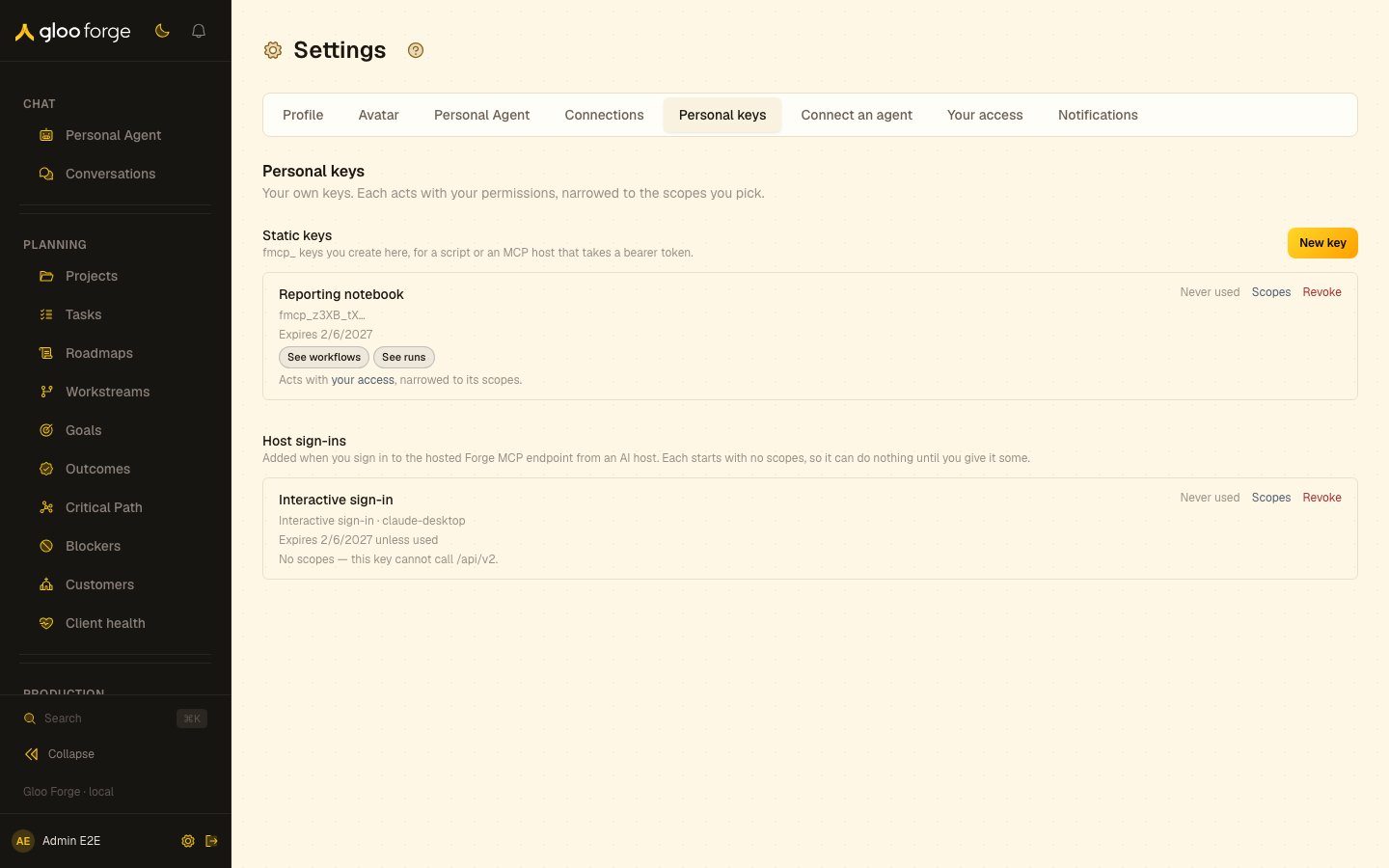
Personal keys — Forge Console at /settings/personal-keys
What you can do
- Decide between a Personal key and an External App. See Choose a credential.
- Create a static key for yourself and pick the scopes that narrow it. See Static keys and Choose scopes.
- Present a key to the Forge Platform API from a script, a CLI or an AI host. See Use a key.
- Give a host sign-in its scopes, or revoke it, when an MCP host connects with your Forge account. See Host sign-ins.
Choose a credential
Ask one question: should this keep working after the person who set it up leaves? If yes, use an External App. If it is you, working through an AI host or a script, use a Personal key.
In both, scopes only narrow. What they narrow differs. An External App holds its own roles: a new app holds none, and someone with
grants:manage gives it roles. A Personal key holds no roles: it acts with your permissions, so it can never do more than you, and when you lose a permission every key of yours loses it on its next request. See Permissions and scopes.
A Personal key is refused (403) on the routes that only an External App may call:
- Agent writes:
POST /api/v3/agents,DELETE /api/v3/agents/{agentId},POST /api/v3/agents/{agentId}/delete-permanently, and assigning or unassigning an agent’s tool sets and skills (POST /api/v3/agents/{agentId}/assign-tool-set,/unassign-tool-set,/assign-skilland/unassign-skill). POST /api/v3/projects.GET /api/v3/customers/{customerId}/cost.- App-scoped webhooks and events:
/api/v3/webhooks,/api/v3/webhooks/{webhookId}/rotate-secret,/api/v3/webhook-deliveries/{deliveryId}/replayandGET /api/v3/events. - The External App endpoints and
GET /api/v3/me.
PATCH /api/v3/agents/{agentId} and POST /api/v3/agents/{agentId}/reinstate-version accept a Personal key. An External App’s call is answered by the app’s own agent operation; a key’s call is answered by the API Native agent operation, which admits Personal keys and platform API keys.
POST /api/v3/workflows/dispatch accepts a Personal key, but refuses a dispatch that names a callback (422) or a customerId (400); both belong to an External App. Inference refuses a Personal key at authentication (401 invalid_token), because the inference endpoint accepts only an External App access token. Trust Fabric budget envelopes apply to agent spend from either credential.
What the Console establishes
- Acts with your permissions. A key’s authority is your current permissions at the record’s organization, cut by the key’s scopes. It holds no roles of its own and nobody can give it one. Approve and administer permissions reach a key only through the approve and administer scopes, which you must pick yourself.
- Knowledge resolves to you. Knowledge reads and writes made with the key act on your own knowledge and are recorded as you.
- Reaches supported Platform API routes. A static key is a bearer credential for
/api/v3and/api/v2; route-specific authentication and authorization still apply. It cannot call inference. - Ends with you. Revoking the key stops its next request. When you are offboarded, Forge revokes every key you own, and a key whose owner is no longer active is refused at authentication.
- Expires. A static key stops working at the expiry chosen when it was created; Forge tells you on your bell and by email 7 days before. A host sign-in expires after 90 days without use. A key carrying an approve or administer scope lives shorter: see Approve and administer scopes.
- Audited. Creating a key, changing its scopes, revoking it and deleting it are each recorded as a
securityaudit event, as are retiring a host sign-in that expired unused and the one-time update that dates an older key. When a scope change shortens a key’s expiry, its event records the expiry before and after.
apikeys:manage they can revoke any of them, and you are told when they do.
Who can create one
Any active person can create Personal keys and manage their own: create, list, change scopes, revoke and delete. No permission is needed for this. A key needs no roles: it works within your permissions as soon as it has scopes. An emergency stop of the API keys door stops every Personal key, together with every External App.Static keys
A static key is anfmcp_… secret you create on this page and hand to a script or host.
1
Create the key
Give it a label you will recognise later, choose its scopes on the grid (see Choose scopes) and choose when it expires: 90 days by default, at most one year. A key with an approve or administer scope defaults to 30 days and offers at most 90. Choose only the scopes the use needs; scopes never add authority.
2
Copy the secret
The secret is shown once, when the key is created. Store it in the host’s or script’s secret store before you dismiss it. Forge cannot show it again; if it is lost, create a replacement and revoke this key.
3
Prove it
Make one authorized read. With Forge MCP, run
tools/list, then call forge_list_agents. A 403 names the missing permission in error.requiredPermission: either you do not hold it, or the key’s scopes do not include it.- Scopes — change the key’s scopes. Scopes only narrow your permissions; they never add any.
- Revoke — stops the key at its next request. Revoking cannot be undone.
- Delete — removes a revoked key permanently. Only a revoked key can be deleted.
Choose scopes
You choose a key’s scopes on the permission grid, the same grid of permissions by area as Access. Each cell is one permission, in words; a chosen cell is one scope.- Only what you hold. You can choose a permission only if you hold it at the platform. Every other cell reads can’t be chosen.
- Presets. The chips above the grid choose a set in one click: Governance reader (
grants:read,policies:read,audit:read), Role administrator (roles:manage,grants:manage) and Credential administrator (credentials:write,credentials:manage). A preset is a shortcut: the key stores its permissions, never the preset’s name. - Defaults. A new key starts with two reads,
agents:readandskills:read. Nothing that writes, dispatches, approves or administers is chosen for you. - On each row. A key’s scopes are shown in words. A set that is exactly a preset is shown by the preset’s name.
governance:read, to the permissions they stood for. Older names are retired, and a key write that names one is refused in words naming what replaces it. If a row ever flags a name as gating nothing, open Scopes and save: the dialog lists the name and removes it. See Scope formats and presets.
Approve and administer scopes
The permissions that let a key approve requests or administer Forge are marked elevated on the grid:approvals:approve, credentials:approve, procedures:approve, synthesis:approve, credentials:write, credentials:manage, apikeys:manage, grants:manage, roles:manage, policies:manage, platform:manage, switches:use, workflows:manage, cost:manage, environments:manage, vaults:manage, secrets:manage and gateway:manage. None is chosen for you: no new key or host sign-in starts with one. To choose one, first tick Include elevated permissions; until then an elevated cell reads elevated, needs opt-in, and a preset marked Elevated (Role administrator, Credential administrator) adds nothing.
An older key’s approve and administer scope names stand for these permissions:
Like every scope, these only narrow: the key can approve or administer only what you yourself may.
A key carrying any of them expires sooner:
- Static key — 30 days by default, at most 90. A longer choice is cut to 90 days.
- Host sign-in — 30 days after its last use, instead of 90.
- Adding one to an existing key — its expiry is pulled in to at most 90 days from now (30 for a host sign-in). An expiry already inside that bound is kept. The Scopes dialog says so before you save, and the audit event records the expiry before and after.
Use a key
Send the secret as a bearer on any/api/v3/* or /api/v2/* call. There is no token exchange: the key itself is the credential.
- You hold the permission. The key acts with your current permissions at the record’s organization. If you do not hold it, ask for a role that does; the key picks it up on its next request.
- Its scopes cover the call. Scopes narrow your permissions. A
403names the missing permission inerror.requiredPermission: either you lack it, or the key needs a scope that includes it. A key can hold any permission you hold, so adding the scope or the role fixes it. - The route is not reserved for External Apps. The app-only routes listed under Choose a credential refuse a Personal key whatever you hold.
401. See Authentication for the External App alternative and Refusals for every refusal field.
Host sign-ins
Where a deployment’s operator has configured interactive sign-in, an MCP host can connect to the hosted MCP endpoint with your Forge account instead of a static key. In production the endpoint ishttps://mcp.forge.gloo.com/mcp; on any other deployment, copy the MCP Endpoint URL from Settings → Connect an agent. The first time a host signs in, Forge creates a host sign-in owned by you and lists it in this section with the host’s client id. Each host you sign in from gets its own entry.
- Starts with no access. A host sign-in has no scopes, so every tool is refused (
403) until you give it scopes here. From then on it acts with your permissions, narrowed by those scopes — exactly as a static key does. - Reaches only the hosted MCP endpoint. The host’s token is accepted only at the hosted endpoint; sent directly to the HTTP API it is refused.
- Needs an active Forge account while you use it. Forge checks it on every request. If your account is no longer active, the sign-in is refused with
401. - Expires after 90 days without use. Each sign-in moves the expiry to 90 days from then, so a host in use does not expire. A host that has not signed in for 90 days is refused once with
401saying the sign-in expired, and its entry is removed; the next sign-in starts a new one with no access. - Revoke, then delete to reconnect. Revoking a host sign-in stops its next request. A new sign-in from the same host is refused until you delete the revoked entry; the next sign-in then starts a new one with no access.
Key state to watch
- Host sign-ins with no scopes — every request fails until you give the sign-in scopes. A new host sign-in starts here.
- Scopes flagged as gating nothing — a scope outside the catalog, or
inference:app, never applies to a Personal key. Open Scopes and save: the dialog lists those names and removes them. - Expiry — replace a static key before it expires; you are told 7 days ahead. A key created before keys expired shows “No expiry” until a one-time update gives it an expiry 30 days out; you are told if that happens.
- Last used — a key nobody has used in a long time is a candidate to revoke.
- Revoked entries — delete a revoked host sign-in before signing in again from that host.
Related surfaces
- External Apps — the credential for software that outlives the people who set it up
- MCP Server reference — host configurations, interactive sign-in and recovery
- Quickstart — MCP host — register Forge in an MCP host
- Permissions and scopes — the scope-to-permission catalog
- Emergency stops — the API keys door that stops every Personal key and External App
- Glossary — Personal key, External App, and the API keys door