

/platform/models) is the model catalog. Forge resolves each agent turn to a model from the agent’s own fallback chain when an active one is assigned, and otherwise from the agent’s default model. This page exposes the catalog, the providers, and the fallback chains.
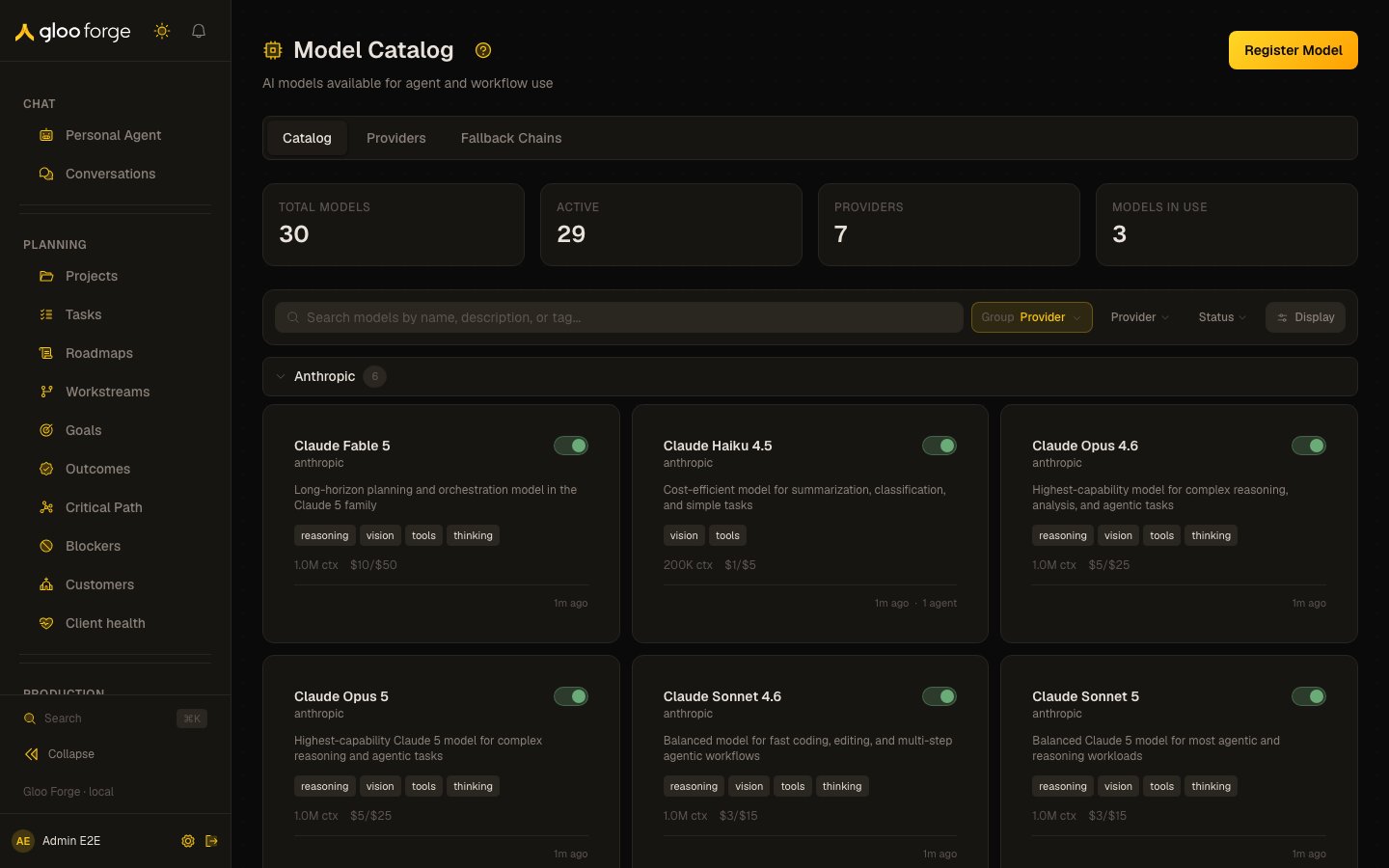
Models — Forge Console at /platform/models
What you can do
- Browse the model catalog filtered by provider, by family, by capability (chat / embedding / vision).
- Inspect a model’s per-token cost, its context window, its capability flags, and its current health.
- Promote, demote, or remove a model in a fallback chain on the Fallback Chains tab.
Organizing the catalog
The catalog uses the shared collection grammar — the same Search · Group · Sort · Filter · Layout toolbar every Forge collection carries.- Group by — Provider (the default) or Brand. Group headers show a live count; models with no brand land in an Unassigned bucket that renders last.
- Sort by (in the Display popover) — Name is the default within every group, regardless of group size; Updated and Created are one click away. Name is always the tiebreak.
- Filter — by provider and by status.
- Layout — card (the default) or list, persisted in
?layout=.
?groupBy= bookmark from the older provider/brand toggle still works.
The catalog is the pricing authority
The per-token cost on a catalog row is what the platform actually bills a turn against — it flows into the token ledger, each step’s cost, run totals, factory attribution, and the budget gates that can stop a run. Two consequences worth knowing:- A row only counts while it is active. A model with no active catalog row falls back to a built-in rate table keyed by model name. That table tracks published vendor rates but is not guaranteed to match a negotiated or newly-changed one — so a stale or deactivated row means a turn is priced from a guess.
- An unrecognized model is deliberately over-estimated. A model that matches nothing at all is priced at the platform’s most expensive tier rather than a mid-range average, because cost feeds budget enforcement and over-estimating fails safe. If a model’s spend looks implausibly high, an absent catalog row is the first thing to check.
Correcting a rate
A model’s detail page carries Edit specs & rates (admin only). It edits the input, output, and cached-input rates directly, so a provider price change reaches the platform without waiting for a deploy. Three things happen when you save a rate:- The change is journaled to the price history as a manual edit. That journal entry is what protects your number: the deploy-time rate backfill compares every row against the repo fixture and would otherwise revert a hand-set rate on the next release. A manual entry makes it decline.
- The rate is stamped as verified today. This is separate from Last synced — the provider model-list sync refreshes specs weekly and returns no cost at all, so a row can look freshly synced while its price has been wrong for a year.
- Rates stay editable even on synced models. Context window and max output tokens are hidden when the provider supplies them; cost never is, because no provider reports it.
Editing a rate changes what future turns cost. Events already recorded keep the cost they were captured at, so a dashboard spanning the correction shows both regimes. An admin-only repricing action can recompute historical events at the corrected rate; it is deliberately manual, so a correction and a rewrite of history are two decisions rather than one.
Key state to watch
- Provider health — when a call to a chain’s model hits a temporary provider failure or a credential refusal, Forge moves to the chain’s next model; the badge surfaces the current health.
- Live model availability — models the catalog claims but the provider isn’t actually serving are flagged.
- Cost drift — when a model’s per-token cost changes upstream, the catalog flags it for re-quote.
- Unverified rates — a rate nobody has affirmed in 90 days raises an attention item in Observe → Operations, and the model page shows Verified Nd ago (or Never verified). Provider price cuts are the most common way a rate silently drifts, and nothing else in the platform notices them.
Related
- Architecture → LLM Routing