

/platform/forge-mcp) controls which tool groups agents can reach through the Forge MCP server, and shows what each listing job sends them. It is the Forge MCP tab of the Developers sidebar entry, after External Apps and Personal keys. Open it to switch the MCP server off, to narrow what connected agents can call, or to check how large a listing an agent receives.
To connect your own agent, use Connect an agent under Settings.
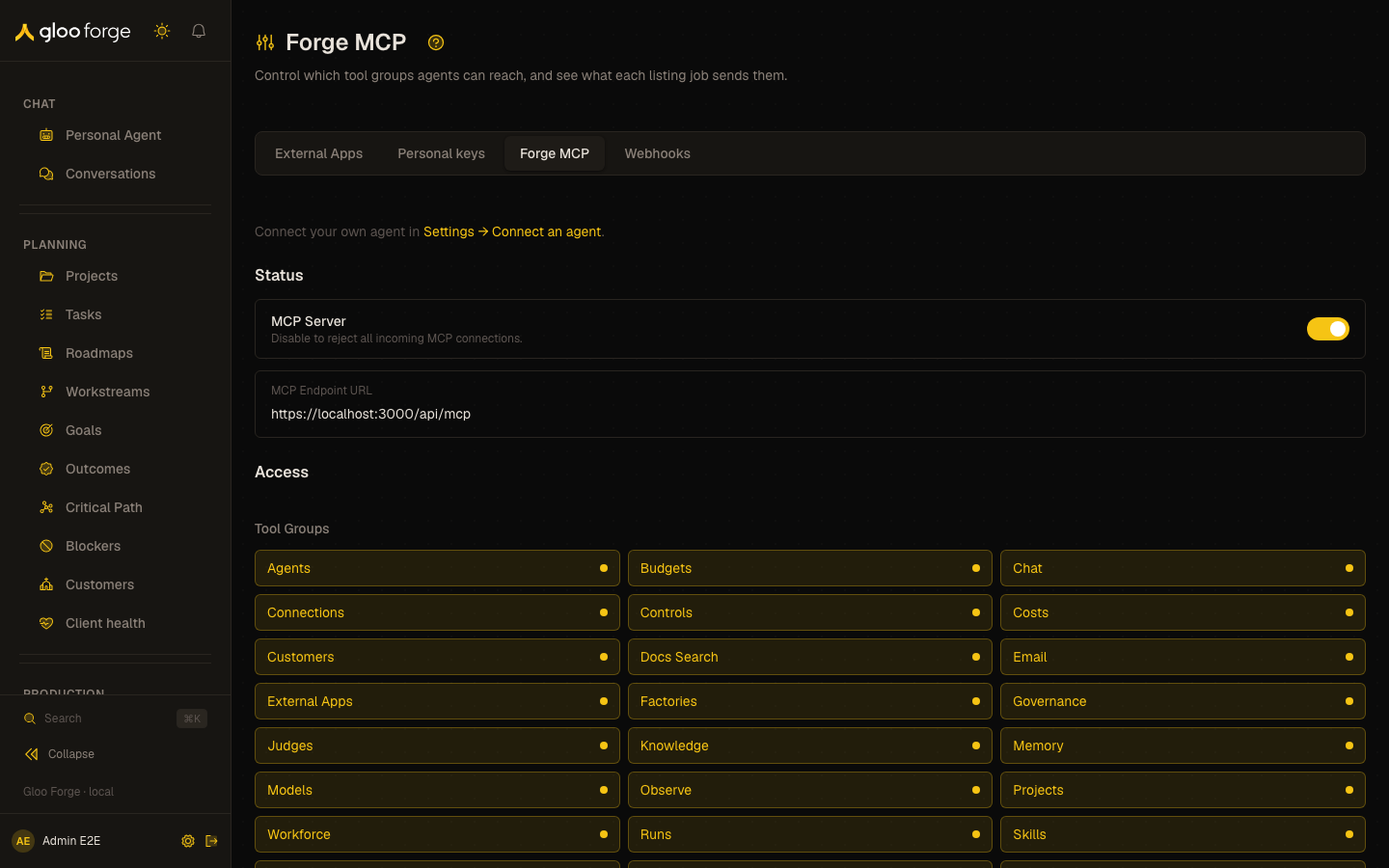
Forge MCP — Forge Console at /platform/forge-mcp
What you can do
Status- MCP Server toggle: disable it to reject all incoming MCP connections.
- MCP Endpoint URL shows the address agents connect to.
- Tool Groups: one toggle per group (for example Agents, Knowledge, Runs, Webhooks, Workflows). Turning a group off removes its tools from every listing.
- Listing jobs explains job selection. A connection lists the
startjob unless it selects others with thejobsURL parameter (for example?jobs=start,find,run) or theX-Forge-Mcp-Jobsheader. Jobs change only the listing: every operation in an enabled tool group stays reachable throughforge_call_operation. - Global Instructions: text sent to every session alongside the server instructions.
- Save Configuration stores the toggle, tool groups, and instructions together. “Saved!” confirms it.
start, access, work, approvals, find, run, explain, knowledge) with its tool count, bytes, and approximate tokens, and the tools it lists. The counts assume the job is selected alone with every tool group on, and include the four actor and operation tools every connection lists. A credential lists only the tools its permissions allow.
Who can act
Reading the configuration requiresaudit:read, grants:read, and policies:read. Save Configuration requires apikeys:manage.
Key state to watch
- MCP Server off: every incoming MCP connection is rejected.
- A tool group turned off that a team’s agent depends on: its tools disappear from every listing. Check with the team before saving.
- A large token estimate on
start: every default connection pays that cost per session; turn off unused tool groups. - “Couldn’t load the tool lists. Reload the page to try again.”: the preview failed; the saved configuration is unaffected.
- Unsaved edits: changes to toggles and instructions apply only after Save Configuration.
Related surfaces
- Connect an agent
- External Apps, the first Developers tab
- Personal keys
- Webhooks