

/workforce/agents/templates) to create a managed agent from a reusable definition. A template supplies configuration; the created agent still needs the identity, authority, credentials, and workflow context required for its work.
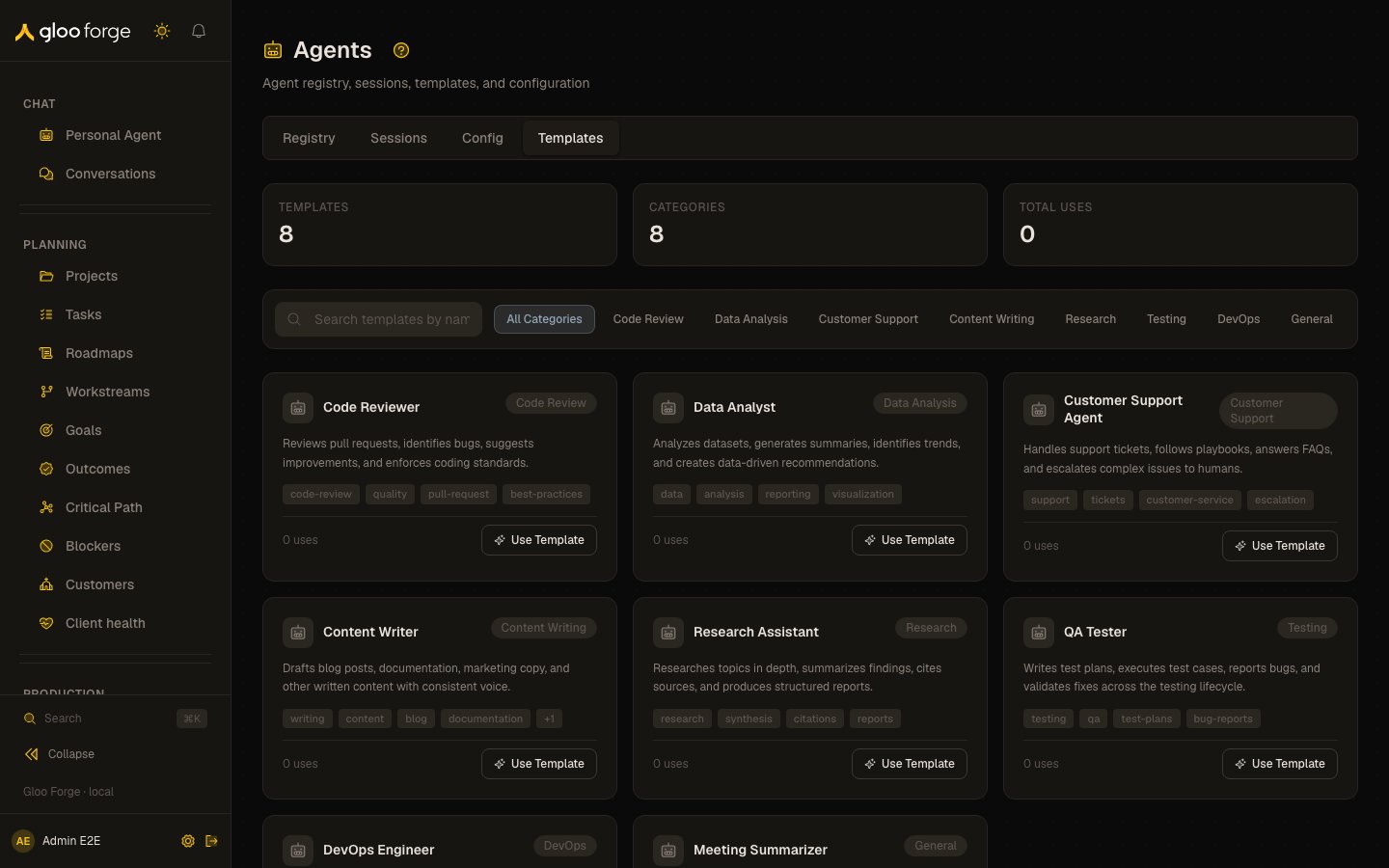
Agent templates — Forge Console at /workforce/agents/templates
What you can do
- Search the template catalog by text or category.
- Create a managed agent from a template, with its own name and ID. See Create an agent from a template.
- Check the new agent’s readiness before you dispatch it. See Verify readiness.
Create an agent from a template
- Search the catalog or choose a category. Read the template’s description and tags before using it.
- Choose Use Template to open Create Agent from Template.
- Enter Agent Name. Review the derived Agent ID and edit it if necessary. The ID must be a unique slug using lowercase letters, numbers, hyphens, or underscores, beginning with a letter or number.
- Choose Create Agent and wait for the operation to finish.
- Inspect the new agent’s Overview, where Console opens its readiness section. Confirm the intended definition and complete any missing readiness requirements.
Verify readiness
Use Agent readiness to investigate the current configuration. A successfully created agent is not proof that it has the correct position, grants, tool credentials, or runnable workflow binding.Key state to watch
- A disabled Create Agent — a required name or ID field fails its inline validation.
- Readiness findings — a created agent can still lack its position, grants, tool credentials or a runnable workflow binding.
- Usage count — how often a template is used, not a safety rating.
Related surfaces
- Agents: manage an agent after you create it.
- Agent readiness: what a new agent still lacks before it can run.
- Give an agent roles: the authority a created agent still needs.