

sandbox_action are tracked separately in the audit dashboard.
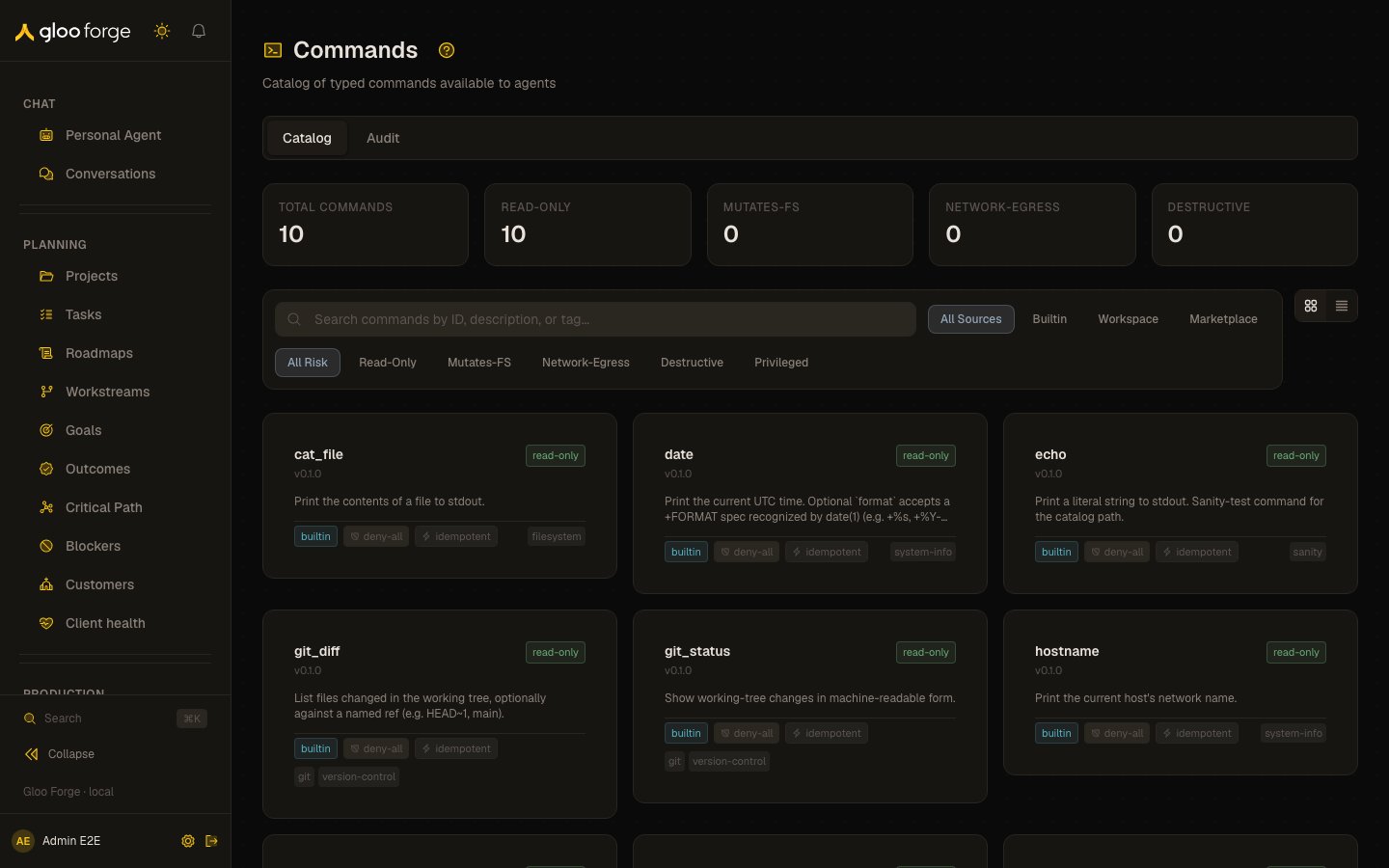
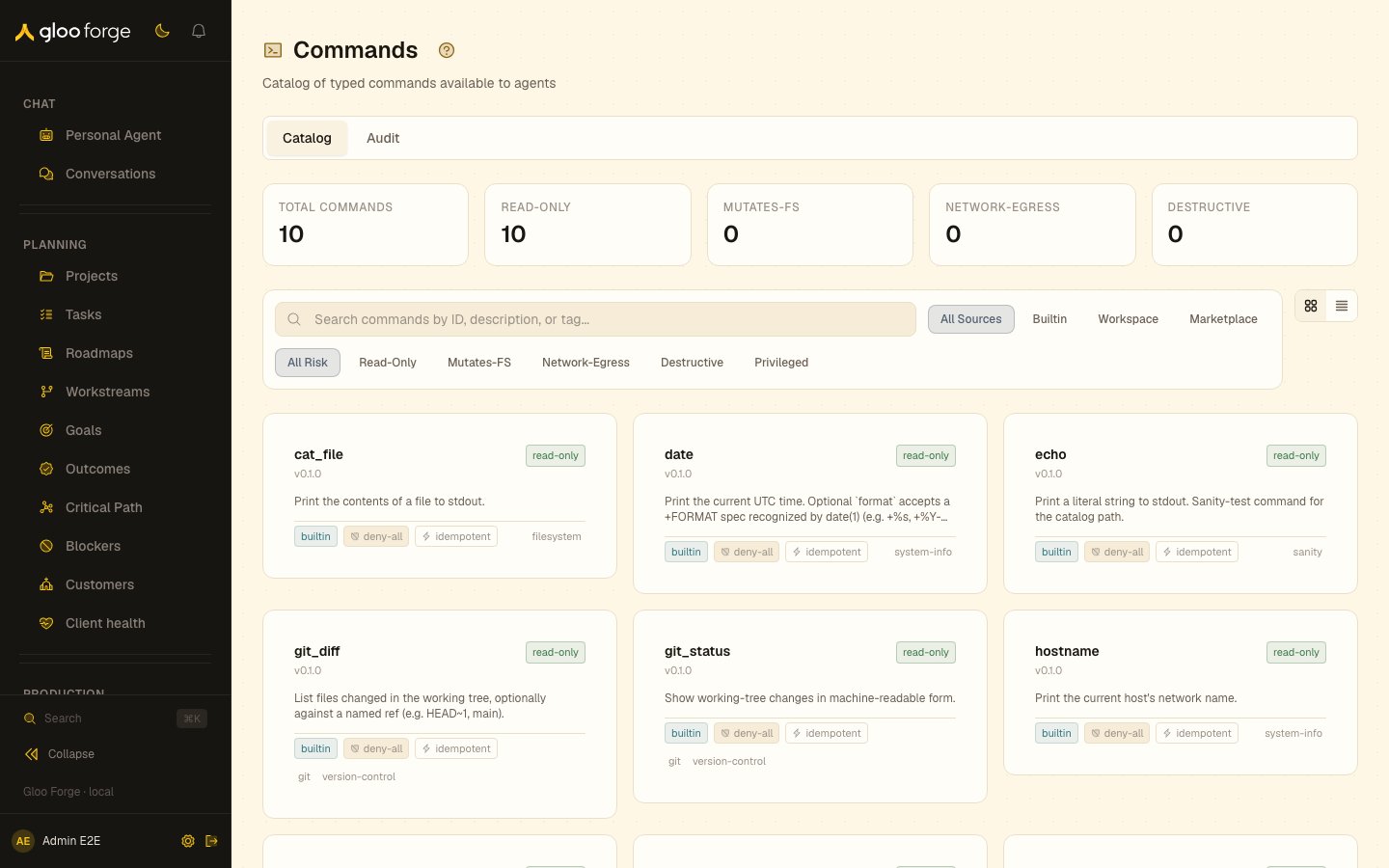
Commands — Forge Console at /platform/commands
What you can do
- Browse and filter the typed command catalog on the Catalog tab, and open a command’s detail page.
- Read a command’s arguments, examples, recent invocations, granting skills and governance decisions on its detail page.
- Review recent Tier 3 free-form invocations and promotion candidates on the Audit tab.
- From a run or an artifact, trace which command ran and how governance decided it.
Catalog index — /platform/commands
The page is split across two tabs at the top of the surface: Catalog (default, /platform/commands) and Audit (/platform/commands/audit).
The Catalog tab is a browse-and-filter view. Five aggregate stats sit above the filter bar; the grid below renders one card per row in commandDefinitions.
Stat row
Each stat is a live count over the loaded catalog page (the v1 query fetches the first 50 rows):
The Privileged class exists in the schema (
riskClass === "privileged") but does not have its own stat tile — operators reach it through the risk filter when needed.
Filters
Three filter axes compose AND-style. All filtering is in-memory across the loaded page; the underlying query supports server-sidesource / riskClass filters, but the v1 page applies them client-side so the stat row stays consistent with the filtered grid.
Cards in the grid are sorted alphabetically by
commandId. A card/list view toggle sits beside the filter bar and persists through the ?view= query param (card is the default).
The command card
Each card is a fixed-shape summary of one row incommandDefinitions:
Risk-class palette
The palette is shared with the run-view command-class breakdown widget so the same color always means the same risk class:Network policy chip
Click any card to open the per-command detail page at
/platform/commands/[commandId] (covered below).
Detail page — /platform/commands/[commandId]
Each catalog command has a tabbed detail page reachable by clicking a card on the index. An unknown command id renders a “Command not found” empty state with a link back to the index.
The page is URL-driven via
?tab= so deep links to a specific tab survive a refresh.
Audit dashboard
The Audit tab (/platform/commands/audit) surfaces Tier 3 free-form sandbox_action command decisions captured by Trust Fabric, alongside promotion candidates derived from repeated command hashes. Tier 3 invocations are intentionally untyped; operators can promote stable, low-risk patterns to typed Tier 1 catalog commands.
Two sections stack in the dashboard:
- Recent Tier 3 invocations — a table of every Tier 3 invocation in the active time window, showing the timestamp, agent, run/step ids, command-string hash prefix, inferred risk class, inferer confidence, and disposition (
pass/block/held). A chip row at the top of the page selects the window: 1h / 24h / 7d (default) / 30d. - Promotion candidates — a card list of high-frequency, low-risk patterns suitable for catalog promotion. The platform flags any
commandStringHashwith ≥5 invocations in the active window AND inferred risk class in{read-only, mutates-fs}. Each card carries the hash prefix, the most-recent sample command string (best-effort — falls back to “Sample command unavailable” when the join can’t resolve), count, last-seen relative time, inferred risk class chip, and an Open issue button that opens a pre-filled GitHub issue with the pattern signature and the sample command embedded — operators triage candidates from there into typed Tier 1 catalog commands.
commandTier, inferredRiskClass, inferenceConfidence, commandStringHash, disposition). Auth: queries gate on the audit:read permission.
Run-view command-class breakdown
When you open a workflow run under Production, the inspector surfaces a one-line readout of the run’s command activity. The strip sits above the inspector tab navigation and shows:- Per-class invocation counts — grouped by
inferredRiskClass(read-only, mutates-fs, network-egress, destructive, privileged). Only Tier 3 free-formsandbox_actioncommands contribute: they carry the class inferred at invocation time. Tier 1 catalog rows are typed declaratively and write noinferredRiskClass, so they appear in the tier counts but in no risk-class bucket. - Governance disposition counts —
allowed,blocked, andheldpulled from the run’s governance audit log.heldinvocations are the held commands listed in Approvals.
Artifact provenance
When you preview a file artifact on a workflow run view, a Provenance panel renders below the preview answering “which command invocation produced this file?” The panel picks the most recent invocation on the same run step that completed before the file was created.
The panel self-hides when no producing invocation can be resolved (legacy artifacts, parallel-tool-call ambiguity per Open Question #4 in the plan).
When a deep link lands on the detail page but the targeted invocation is older than the last 50 fetched rows, an inline notice surfaces above the table so operators know the link landed but the row is outside the visible window.
Strict mode
Strict enforcement is the only mode; there is no audit-only mode:- Tier 3 commands inferred as
privilegedrequire an active exec grant for the dispatching worker. Without an active grant the per-command policy blocks the call (disposition: "block",decisionReason: "privileged_unauthorized"). Lower-risk Tier 3 classes are unaffected:read-onlyauto-allows,mutates-fs/network-egressallow or hold on the agent’s rung (onlyboundedauto-allows, andnetwork-egressalso needs an allow-list network policy), anddestructivealways holds. - Granted workers run the privileged command normally; the audit row records
decisionReason: "exec_grant_active", and the reason given when the grant was issued stays on the grant. - Tier 1 catalog commands evaluate against their declared
riskClassand the agent’s rung. - Held Tier 1 commands flow through Approvals: everyone on the hold’s approver list sees it under Waiting on me, and the first decision wins.
Issuing a grant
The Console and the Forge API have no control for issuing or revoking a grant. Ask a platform administrator to issue one. A grant names one worker and carries a required reason, recorded with the grant, and an optional expiry for a time-boxed grant. The person who issues it is recorded as its granter. Issuing or revoking a grant needs the Approve approvals permission (approvals:approve)
at the scope the request names: the worker’s organization unit, or the platform when none is named.
Revoking a grant keeps it on record with who revoked it, when and why; a revoked grant cannot be
revoked again. A grant also stops applying once its expiry passes.
Key state to watch
- Promotion candidates on the Audit tab — a free-form command pattern that recurs at low risk is a candidate for a typed catalog command.
- Held and blocked dispositions on the Audit tab and on a run’s command-class strip — a held command waits in Approvals; a blocked
privilegedcommand means the worker has no active grant. - Active grants — each grant lets one worker run privileged free-form commands until it expires or is revoked.