

/platform/vendors) is the outbound registry: the third-party companies Forge calls out to on behalf of users and workflows — Linear, Slack, Firecrawl, Planful, and the rest. It is the connective tissue that turns three otherwise-disjoint catalogs (Tools, Procedures, Capability providers) into one coherent answer: these are the vendors Forge integrates with, and here is everything that touches each one.
The Vendors sidebar entry has two tabs: Vendors and Credentials,
the credentials Forge presents to these vendors. A person who may read credentials but not vendors
(credentials:read without vendors:read) sees a Credentials entry in its place.
This page is only about the outbound direction. For the inbound direction — partner applications that authenticate to Forge and call its API — see External Apps. The two are separate primitives with separate schemas and separate console pages, and the vocabulary on this page (“OAuth applications”, “connected accounts”) refers exclusively to credentials Forge presents to a vendor.
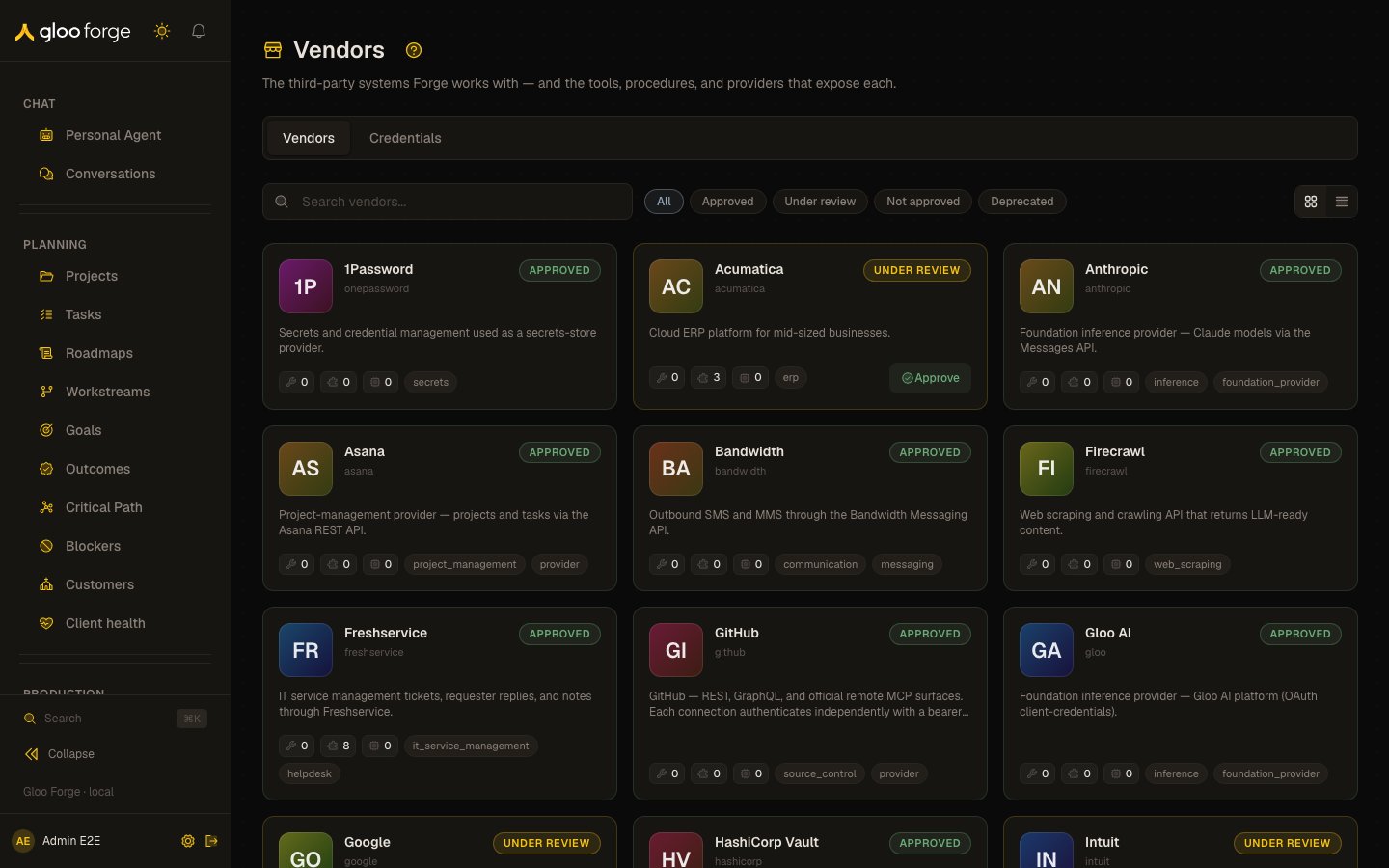
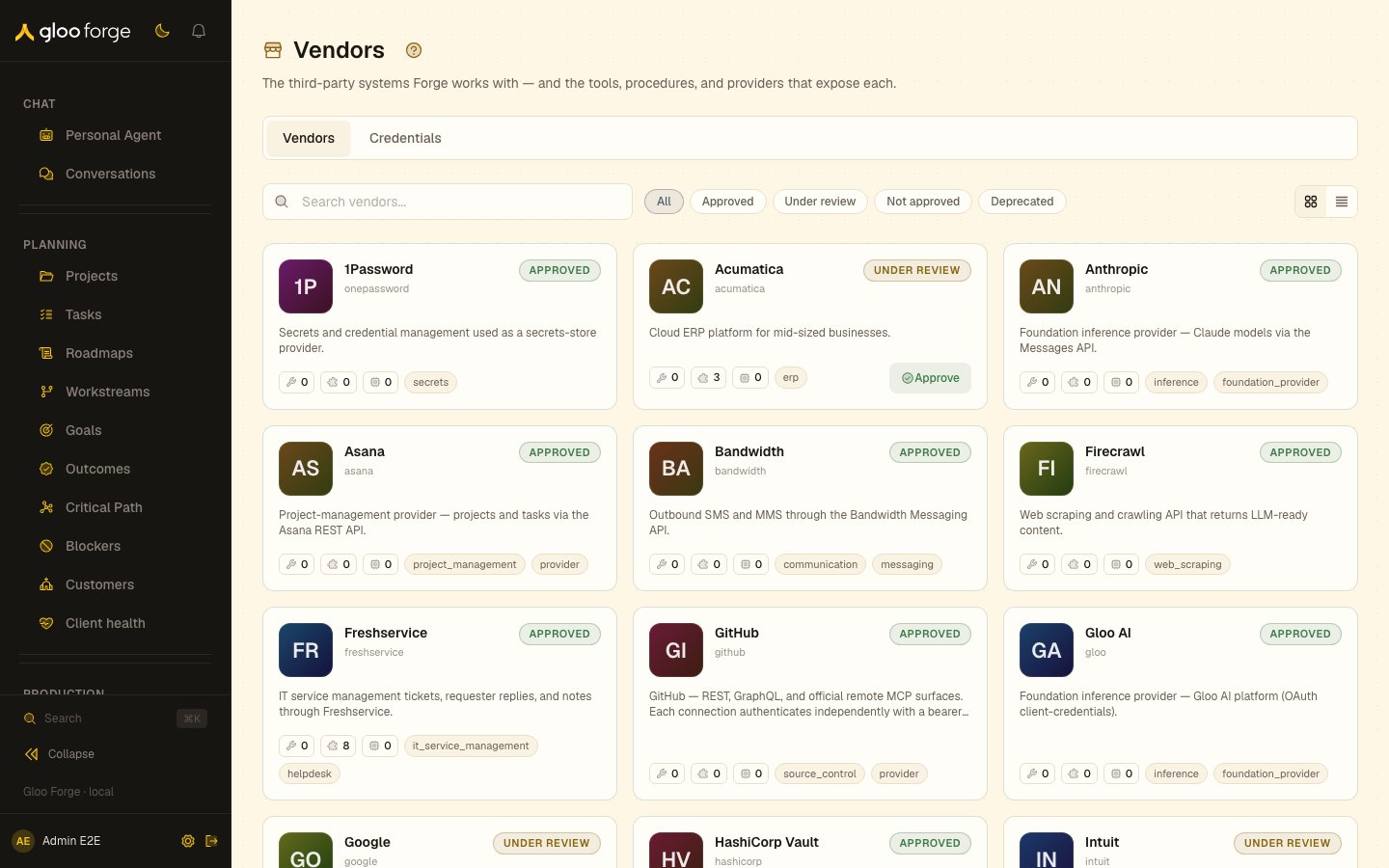
Vendors — Forge Console at /platform/vendors
What you can do
- Browse the registry: every vendor Forge calls out to, with its approval status and what exposes it.
- Approve a vendor, or set its status, with
vendors:write. - Open a vendor for its reference links and the tools, procedures and capability providers linked to it.
- Connect a vendor through authorization-code OAuth, and read its Connection Client contract.
Registry
The page is a single registry: a card per vendor showing its name, stablevendorKey, approval status (Approved / Under review / Not approved / Deprecated), category tags, and a count of how many tools, procedures, and capability providers expose it. Filter by approval status, or search by name, key, or tag. Click a vendor to open its detail page.
Approving a vendor. Approval status is operator-curated, not automatic — a vendor starts Under review until someone vets it. Operators holding the vendors:write permission get a one-click Approve button on any not-yet-approved card (and can set the full status from the detail header, below); everyone else sees the status as a read-only pill.
Vendor detail (/platform/vendors/[vendorKey])
- Header — logo, key, homepage, tags, and the approval status. Operators with
vendors:writeget a status selector here (approve / under review / not approved / deprecated); read-only users see a status pill. - Reference links — outbound links to the vendor’s MCP / API / SDK docs, Terms of Service, and pricing (all optional, by reference — Forge never stores vendor content).
- What exposes this vendor — three grouped lists of the linked tools, procedures, and capability providers, each row deep-linking across to that primitive’s Platform catalog page.
Connection Client contracts
Open a connection’s Client panel to inspect the callable contract before writing a procedure. For TypeSafe’styped-judgments connection, the panel shows the existing
typed_judgments/evaluateChoices capability: its input and result schemas, Python procedure call,
SDK success envelope, and request limits. The procedure builder discovers the same contract.
The input contains serialized JSON state and questions with explicit allowed options. Each
question supplies an id, instructions, and option id/description pairs. Supply the complete
eligible menu from the run-pinned catalog and approved policy; knowledge can inform selection but
cannot introduce an unlisted ID. Larger category trees need staged, complete menus rather than a
truncated list. The current limits are 16 questions, 255 options per question, 64 KiB of state, and
256 KiB for the complete request.
Use the Python call shown in Client through the existing procedure capability proxy. Its
success envelope is {data, providerId}; the operation result is under data. Declare
typed_judgments in the procedure’s capabilities and
apiIntegrations: [{vendorKey: "typesafe", connectionName: "typed-judgments"}]. The published
workflow must bind that connection to the intended organization and hold the matching version
acting-for authority. Do not put the TypeSafe key in procedure code or call the vendor SDK directly.
This panel is static contract discovery. Reading it requires vendors:read; it neither reads a
credential nor grants execution or proves readiness. Store the API key as an organization-scoped
Credential on the TypeSafe connection, then inspect the organization’s readiness on
Capabilities.
Declaration
Every connection carries a declaration — three facts about the API surface itself, shown as chips on the connection card and editable from the same Edit API form that owns the connection’s name, base URL, and field template:- Kind —
read,compute, orwrite. A financial or destructive write is awrite; there is no stricter kind. - Sends something out — using this surface delivers content to an outside party. Calling an outside system in order to read is not this, whatever HTTP verb the read protocol happens to use.
- Touches sensitive data — the surface carries financial records or PII.
write, sends out, sensitive), pre-selected rather than blank, so lowering it is a
deliberate act.
The seeded connections are declared in the platform fixture. The deploy seed fills in a connection
that has no declaration yet, but it does not overwrite one you have edited — your declaration
survives redeploys, the same way an operator-owned credential is left untouched. The trade is that
correcting a declaration in the platform fixture no longer reaches a connection that already has
one; change it in the console, or clear it first.
Editing a declaration requires the same vendors:write permission that already guards the rest of
the connection form.
Nothing enforces a declaration. It is stored, shown, and editable; no hold reads it against an
agent’s rung.
Connecting a vendor through authorization-code OAuth
For a connection whose registry metadata declares authorization-code OAuth, Forge separates three things that older credential-owned flows combined:- The OAuth application is the vendor client registration: client ID, protected client-secret reference, environment, issuer, and rotation generation. Forge canonicalizes it by connection target, environment, issuer, and client ID — never by Credential scope — so the same vendor application is not duplicated merely because several Forge scopes use it.
- The connected account grant is one provider account authorized through that application, such as one QuickBooks company or realm.
- A Credential binding grants one Forge scope access to that connected account. Runtime tools, agents, procedures, sandboxes, and capability providers still resolve this ordinary Credential; they never select or receive a grant ID.
oauth_connect_required.
Customer-owned organization scopes
Deployment administrators can choose an active Organization Customer wherever a new manual or OAuth Credential binding accepts an Org Unit scope. On submit, Forge validates the Customer and creates or reuses a distinct, parentless Customer organization; the resulting org-unit ID—not the Customer or WorkOS ID—is the Credential owner. New Customer-owned credentials are sealed from descendant sharing by default. Editing or reconnecting an existing Credential keeps its stored scope and does not create another Customer organization. This identity link does not grant membership, permission, servicing access, or project attribution. Individual Customers cannot own credentials. A missing, inactive, wrong-tier, or conflicting link fails closed before credential provisioning, binding, or provider consent begins. Reconnect replaces one grant’s authorization and affects every binding shown in its blast-radius confirmation. Revoke blocks local use for every binding on that grant and separately attempts provider-side revocation. Deleting a Credential removes only that binding; after the final binding is removed, Forge retains the orphaned grant for 30 days before bounded cleanup. To cleanly reset an OAuth connection, delete every Credential binding, revoke each connected account, and then choose Delete application. Application deletion preserves a disabled audit tombstone rather than erasing the registration. Reconnecting later with the same client ID replaces the protected client secret and reactivates that tombstone before provider consent begins. Rotating an application secret affects every grant using that client registration, so review the displayed dependent-grant count first. Grant lifecycle reports whether Forge can vend authorization; Credential verification reports whether a recent real request through that binding succeeded. Neither the browser nor Help exposes client secrets, token values, or internal secret references. Creating or rotating a vendor Credential, changing its sharing, deleting its binding, and verifying it each record a credential lifecycle audit event without the credential value or protected secret. During deployment, the OAuth grant backfill waits for the seeded connection metadata and fails visibly if any eligible legacy credential cannot be migrated. The subsequent OAuth application canonicalization consolidates duplicate scope-owned registrations only after verifying their protected client secrets match, then repoints their grants and consent sessions. Both migrations are bounded and idempotent. An operator may rerun them from the Convex dashboard, in order, by invokingmigrations/backfillOAuthGrants:runFromInit with {} and then
migrations/canonicalizeOAuthApplications:runFromInit with {}. Treat any returned
oauth_backfill_* or oauth_application_canonicalization_* error as an incomplete rollout rather
than success.
Lesson trust
Each connection’s Notes list, and the Vendor-wide notes panel, show the vendor’s active lessons. Every lesson carries a trust badge. Hover the badge to see the evidence source that recorded it: Live verify, Converged across respecs, Operator or Builder hypothesis.
The badge reads the stored
evidence.source, using the same rule the Builder’s vendor resolve uses. That resolve serves leads apart from earned knowledge, so a Builder’s guess never outranks the declared documentation. Editing and deleting notes work the same for every badge. There is no action that promotes a lead to earned.
Forward “Vendor” badge
Tool and procedure detail pages under Platform carry a small Vendor chip linking back to the vendor’s registry entry — discovery lives in Platform, the trust lens lives here, and the badge stitches the two sections together.Key state to watch
- Approval status — informational in this release (no enforcement). It is the seam for a future Trust Fabric gate that would block or hold dispatch through a non-approved vendor.
- Links — vendors are seeded from a platform fixture and auto-linked to matching tools and procedures on deploy; operators curate links and metadata thereafter. A link whose primitive was deleted is skipped from the detail view rather than shown stale.
How vendors get into the registry
A starter set ships in the platform fixture and is upserted on every deploy (idempotent). The seeder also auto-links existing tools and procedures whose identifier tokens match a vendor’s alias keys. Everything is curatable afterward; new vendors and links can be created directly (requires thevendors:write permission — read access is vendors:read).
Splunk
Forge treats Splunk as a first-class vendor with three independently configured connections. This separation lets you grant only the access each workload needs and rotate one credential without affecting the others. Open Platform → Vendors → Splunk, or go directly to/platform/vendors/splunk, to manage all three connections.
Connection model
The Declaration column is what each connection declares about itself — see
Declaration. All three carry security telemetry keyed
to identities, and HEC exists to deliver Forge’s own events outward. Nothing enforces these values
yet.
Enter host names only — the scheme and port come from the endpoint template above, so a pasted
https:// prefix is rejected.
API and MCP share the management host (es-<stack>.splunkcloud.com) on port 8089. HEC does
not. Splunk Cloud serves HEC from a dedicated ingest host, http-inputs-<stack>.splunkcloud.com,
on port 443. Port 8088 applies to Splunk Enterprise and to Splunk Cloud free trials.
Each connection has its own credential basket and scope ladder. Forge never reuses the API token
for MCP or HEC, and it never copies a legacy token into a new credential. Choose system scope for
a shared floor or a narrower organization-unit or agent scope when tenant isolation requires it.
Provision and verify a connection
- On the Splunk vendor page, expand the connection you want to configure.
- Select Provision account.
- Choose the credential scope and enter the host, port, and connection-specific token.
- Save the credential. The secret value is encrypted and is not projected back to the browser.
- Select Verify now on the saved credential.
- Confirm the verification status shown beside the credential.
- API authenticates against the configured management endpoint and records safe service or principal metadata when Splunk supplies it.
- MCP connects over Streamable HTTP and lists methods. Forge records method names and schema fingerprints, not upstream descriptions or raw schemas.
- HEC sends an empty-body proof with a request-channel identifier. It verifies the token without indexing a telemetry event.
Govern Splunk MCP methods
After MCP verification discovers a catalog, the MCP tool policy card appears on the Splunk vendor page.- Review each discovered method and its compact schema fingerprint.
- Classify the method’s risk.
- Select Approve only for methods that are safe for agent use.
- Select Quarantine for methods that should remain unavailable.
- Assign the
splunk_mcptool to an agent only after the required methods are approved.
read, and the server still advertises it. New, changed,
removed, quarantined, and non-read methods fail closed. Write operations should use typed tools,
where Trust Fabric can apply the explicit tool contract and risk classification.
Users with vendors:read can inspect the catalog and policy evidence. vendors:write is required
to approve or quarantine methods.
Typed Splunk REST tools
Forge currently ships two connection-first Splunk Enterprise Security tools:splunk_search_notablesruns an SPL search through the approvedsplunk/apicredential.splunk_update_notablewrites a triage disposition through that same approved connection.
splunk/api credential resolves, the tool is unavailable; Forge does not fall back to a
tool-local token or base URL.
HEC and telemetry export
The HEC connection and verification flow are available now so operators can establish and prove the trust boundary. The platform-leveltelemetry_export capability, durable outbox, exporter,
queue controls, replay flow, and canary action are a separate follow-up and are not active in this
release. Provisioning splunk/hec alone does not cause Forge telemetry to leave the platform.
Troubleshooting
Official Splunk references
- Splunk Cloud Platform
- Splunk Enterprise
- Splunk Cloud Platform documentation
- Splunk Enterprise documentation
Related surfaces
- Credentials: the credentials Forge presents to these vendors.
- Capabilities: the capability providers a vendor backs.
- External Apps: the inbound direction.